GPG signature verification
When you’re building software with people from around the world, sometimes it’s important to validate that commits and tags are coming from an identified source. Git supports signing commits and…

When you’re building software with people from around the world, sometimes it’s important to validate that commits and tags are coming from an identified source. Git supports signing commits and tags with GPG, and starting today GitHub will show you when commits and tags are signed.

When you view a signed commit or tag, you will see a badge indicating if the signature could be verified using any of the contributor’s GPG keys uploaded to GitHub. You can upload your GPG keys by visiting the keys settings page.
Many open source projects and companies want to be sure that a commit is from a verified source. GPG signature verification on commits and tags makes it easy to see when a commit or tag is signed by a verified key that GitHub knows about.
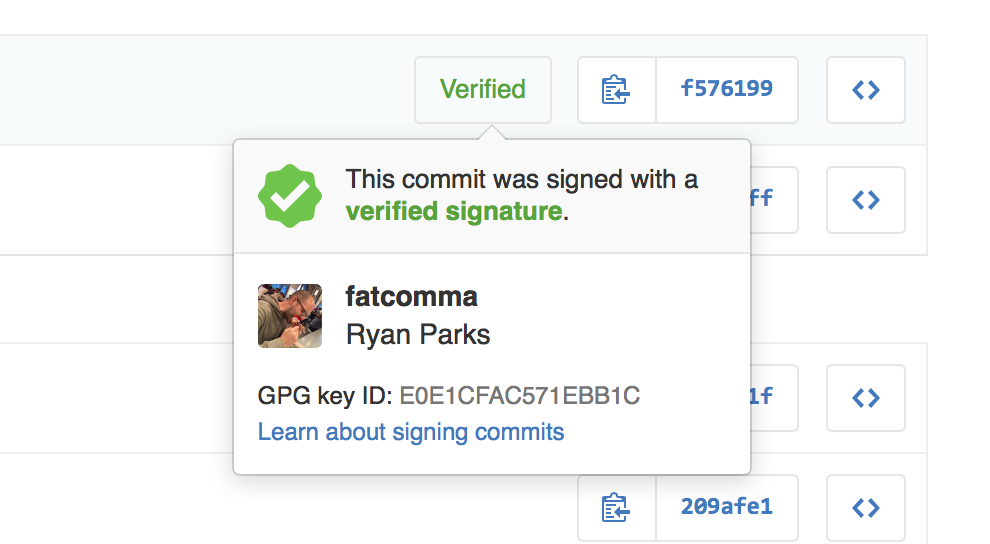
To learn more about how to generate a GPG key and start signing your work, read our GPG documentation articles.
Written by

Related posts

Securing the open source supply chain across GitHub
Recent attacks on open source focus on exfiltrating secrets; here are the prevention steps you can take today, plus a look at the security capabilities GitHub is working on.

A year of open source vulnerability trends: CVEs, advisories, and malware
Reviewed advisories hit a four-year low, malware advisories surged, and CNA publishing grew—here’s what changed and what it means for your triage and response.
GitHub expands application security coverage with AI‑powered detections
CodeQL and AI‑powered detections work together in GitHub Code Security to identify vulnerabilities across more languages and frameworks.