
Bokeh is a Python interactive data visualization. It renders its plots using HTML and JavaScript. It targets modern web browsers for presentation providing elegant, concise construction of novel graphics with high-performance interactivity.
Bokeh can be used to plot hexagon tiles on a graph. Plotting hexagon tiles on a graph can be done using the
Python3
Output :
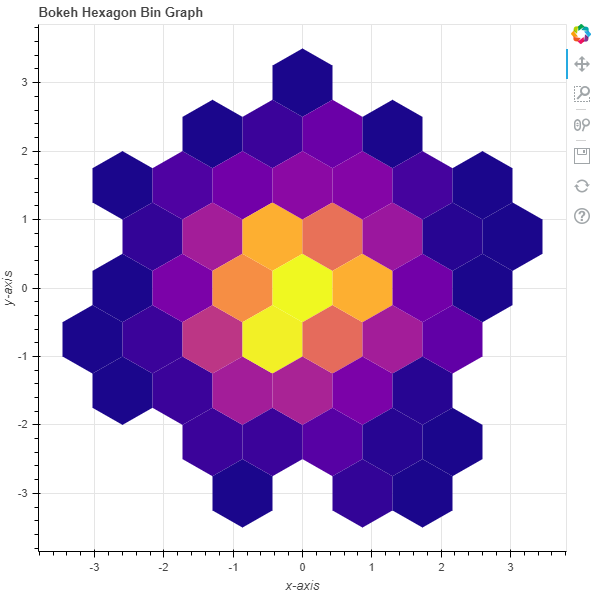
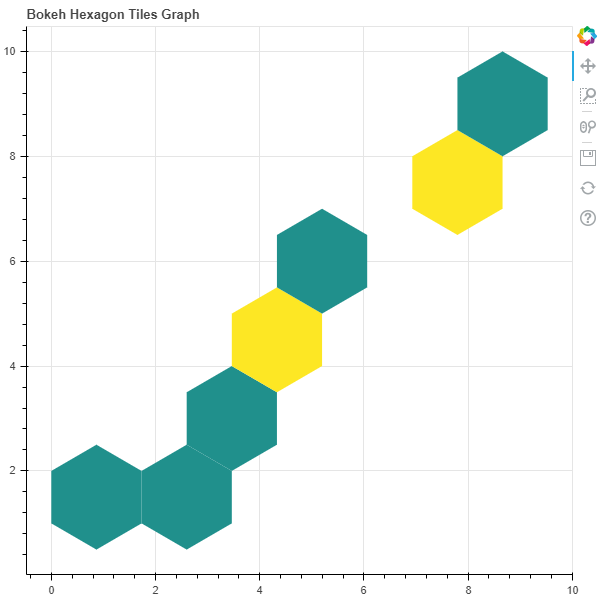 Example 2 : In this example we will be plotting the hexagon bins with various parameters
Python3
Output :
hexbin() method of the plotting module.
plotting.figure.hexbin()
Syntax : hexbin(parameters) Parameters :Example 1 : In this example we will be using the default values for plotting the graph.Any additional keyword arguments are passed to
- x : NumPy array of x-coordinates of the hexagon tile bins
- y : NumPy array of y-coordinates of the hexagon tile bins
- size : radius of the hexagonal tile bins, default is 1
- palette : orientation value, default is Viridis256
- orientation : palette to colormap the bins, default is pointytop
- line_color : color of the line, default is black
- fill_color : fill color value of the hexagon tile bin markers
- aspect_scale : aspect ratio scaling value
hex_tile(). Returns : an object of classGlyphRendererandDataFrame
# importing the modules
from bokeh.plotting import figure, output_file, show
import numpy as np

# file to save the model
output_file("gfg.html")

# instantiating the figure object
graph = figure(title = "Bokeh Hexagon Bin Graph")

# the points to be plotted
x = np.array([1, 2, 3, 4, 5, 6, 7, 8, 9])
y = np.array([1, 2, 3, 4, 5, 6, 7, 8, 9])

# plotting the graph
graph.hexbin(x, y, size = 1)

# displaying the model
show(graph)
# importing the modules
from bokeh.plotting import figure, output_file, show
import numpy as np

# file to save the model
output_file("gfg.html")

# instantiating the figure object
graph = figure(title = "Bokeh Hexagon Bin Graph")

# name of the x-axis
graph.xaxis.axis_label = "x-axis"

# name of the y-axis
graph.yaxis.axis_label = "y-axis"

# the points to be plotted
x = np.random.standard_normal(500)
y = np.random.standard_normal(500)

# size of the bins
size = 0.5

# color palette of the graph
palette = "Plasma256"

# plotting the graph
graph.hexbin(x, y,
             size = 0.5,
             palette = palette)

# displaying the model
show(graph)