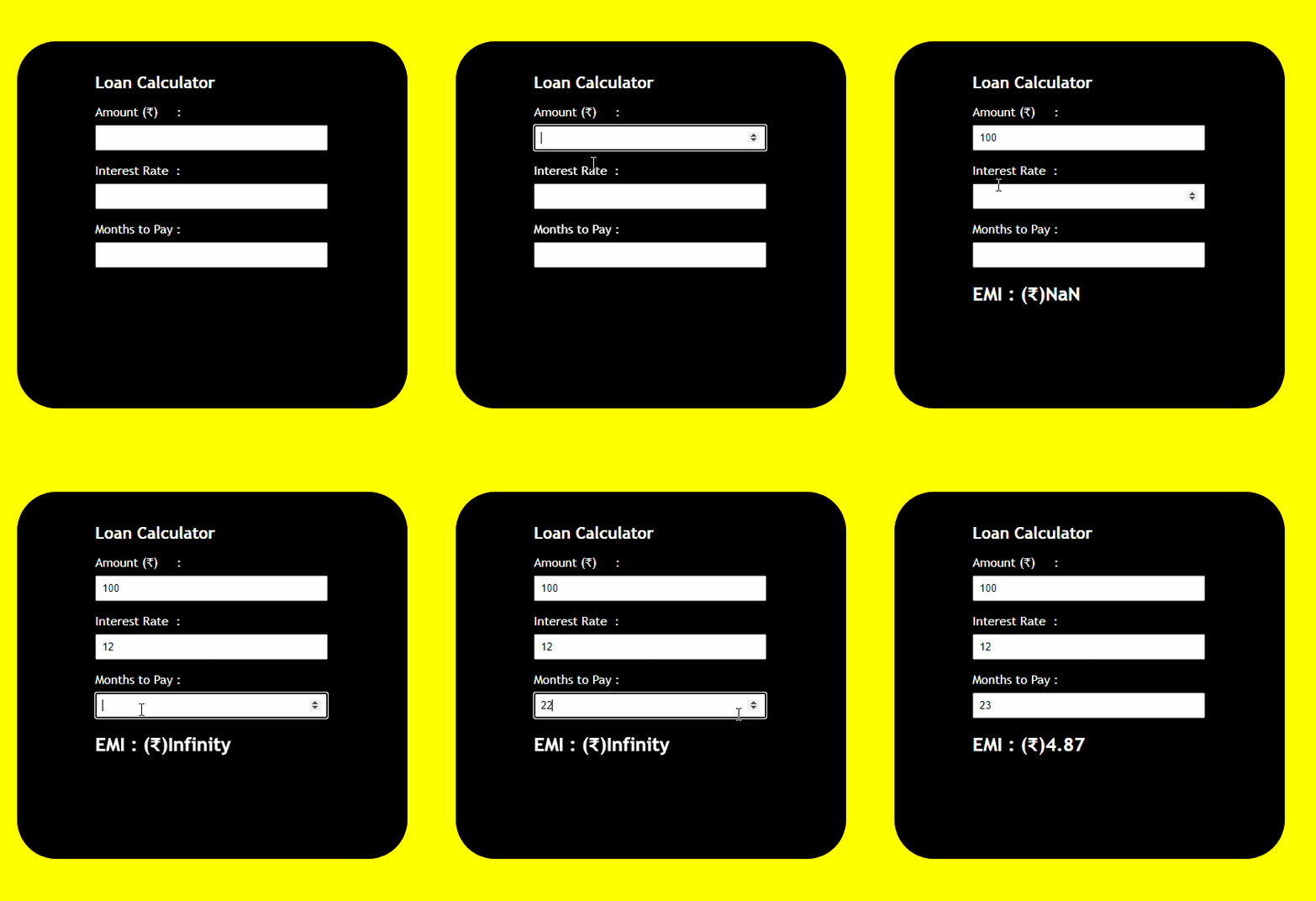
The Loan Calculator can be used to calculate the monthly EMI of the loan by taking the total amount, months to repay, and the rate of interest.
Formula Used:
interest = (amount * (rate * 0.01))/months;
total = ((amount/months) + interest);
Approach
- Extract values from HTML input elements (
#amount,#rate,#months). - Calculate monthly interest using the formula
(amount * (rate * 0.01)) / months. - Calculate the total payment per month using the formula
((amount / months) + interest).toFixed(2). - Update the HTML content of an element with id
totalto display the calculated EMI (Equated Monthly Installment). - The calculations are likely triggered by a function call, such as when a button is clicked or a form is submitted. Ensure proper event binding or call this function as needed.
Example: We have have above-explained approach in this example.
<!DOCTYPE html>
<html lang="en">

<head>
    <title>Loan Calculator</title>

    <style>
        body {
            background-color: yellow;
            font-family: 'Trebuchet MS';
        }

        h1 {
            font-size: 35px;
        }

        h1 {
            font-size: 21px;
            margin-top: 20px;
        }

        .calculator {
            width: 400px;
            height: 450px;
            background-color: black;
            position: absolute;
            left: 50%;
            top: 50%;
            transform: translateX(-50%) translateY(-50%);
            padding: 20px 0px 0px 100px;
            border-radius: 50px;
            color: white;
        }

        input {
            padding: 7px;
            width: 70%;
            margin-top: 7px;
        }
    </style>
</head>

<body>
    <div class="calculator">
        <h1>Loan Calculator</h1>

        <!-- Calling Calculate function defined in app.js -->
        <p>Amount (₹)     :
            <input id="amount" type="number"
            onchange="Calculate()">
        </p>

        <p>Interest Rate :
            <input id="rate" type="number"
            onchange="Calculate()">
        </p>

        <p>Months to Pay :
            <input id="months" type="number"
            onchange="Calculate()">
        </p>

        <h2 id="total"></h2>
    </div>

    <script src="app.js"></script>
</body>

</html>
body {
     background-color: yellow;
     font-family: 'Trebuchet MS';
}
 h1 {
     font-size: 35px;
}
 h1 {
     font-size: 21px;
     margin-top: 20px;
}
 .calculator {
     width: 400px;
     height: 450px;
     background-color: black;
     position: absolute;
     left: 50%;
     top: 50%;
     transform: translateX(-50%) translateY(-50%);
     padding: 20px 0px 0px 100px;
     border-radius: 50px;
     color: white;
}
 input {
     padding: 7px;
     width: 70%;
     margin-top: 7px;
}
function Calculate() {

    // Extracting value in the amount
    // section in the variable
    const amount = document.querySelector("#amount").value;

    // Extracting value in the interest
    // rate section in the variable
    const rate = document.querySelector("#rate").value;

    // Extracting value in the months
    // section in the variable
    const months = document.querySelector("#months").value;

    // Calculating interest per month
    const interest = (amount * (rate * 0.01)) / months;

    // Calculating total payment
    const total = ((amount / months) + interest).toFixed(2);

    document.querySelector("#total")
            .innerHTML = "EMI : (₹)" + total;
}
Output