
Encapsulation is a fundamental concept in object-oriented programming that refers to the practice of hiding the internal details of an object and exposing only the necessary information to the outside world.
- Allows controlled access using access modifiers (private, protected, public).
- Protects object data from direct external access.
- Encapsulation can be achieved using closures and using classes.
Using Closures
A closure is a function that remembers and can access variables from its outer scope, even after the outer function has finished executing. Closures are commonly used to create private variables and methods.
- Maintains a reference to surrounding scope values beyond the function’s execution.
- Enables data hiding and controlled access within JavaScript code.
Example:
function BankAccount(accNum, accHolder, balance) {
    let _accNum = accNum;
    let _accHolder = accHolder;
    let _balance = balance;

    function showAccountDetails() {
        console.log(`Account Number: ${_accNum}`);
        console.log(`Account Holder Name: ${_accHolder}`);
        console.log(`Balance: ${_balance}`);
    }

    function deposit(amount) {
        _balance += amount;
        showAccountDetails();
    }

    function withdraw(amount) {
        if (_balance >= amount) {
            _balance -= amount;
            showAccountDetails();
        } else {
            console.log("Insufficient Balance");
        }
    }

    return {
        deposit: deposit,
        withdraw: withdraw
    };
}

let myBankAccount = BankAccount("123456", "John Doe", 1000);

myBankAccount.deposit(500);
myBankAccount.withdraw(2000);
A BankAccount object using a closure encapsulates account data by keeping variables private while exposing controlled methods for interaction.
- _accNum, _accHolder, and _balance are private variables.
- Private variables are accessible only within the BankAccount function.
- showAccountDetails is a private method for displaying account information.
- deposit and withdrawal are public methods.
- Public methods update the balance and display updated details.
Using Classes
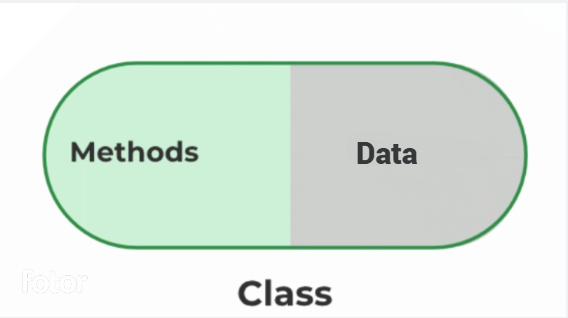
ES6 introduced the class syntax in JavaScript, which allows us to define classes and objects in a more structured way. Classes can be used to achieve encapsulation in JavaScript.
- Supports object-oriented features such as inheritance and method definitions.
- Allows grouping related data and behavior together.
Example:
class BankAccount {
    constructor(accNum, accHolder, balance) {
        this._accNum = accNum;
        this._accHolder = accHolder;
        this._balance = balance;
    }

    showAccountDetails() {
        console.log(`Account Number: ${this._accNum}`);
        console.log(`Account Holder Name: ${this._accHolder}`);
        console.log(`Balance: ${this._balance}`);
    }

    deposit(amount) {
        this._balance += amount;
        this.showAccountDetails();
    }

    withdraw(amount) {
        if (this._balance >= amount) {
            this._balance -= amount;
            this.showAccountDetails();
        } else {
            console.log("Insufficient Balance");
        }
    }
}

let myBankAccount = new BankAccount("123456", "John Doe", 1000);
myBankAccount.deposit(500);
A BankAccount class is created using the class keyword to organize account data and related operations in a structured manner.
- Uses _accNum, _accHolder, and _balance as internal variables.
- Underscore prefix indicates intended private usage.
- showAccountDetails is a public method for displaying account information.
- deposit and withdrawal are public methods accessible from outside.
- These methods modify the balance and display updated details.