
Control flow statements in JavaScript control the order in which code is executed. These statements allow you to make decisions, repeat tasks, and jump between parts of a program based on specific conditions.
JavaScript if Statement
The if statement executes a block of code only if a specified condition is true.
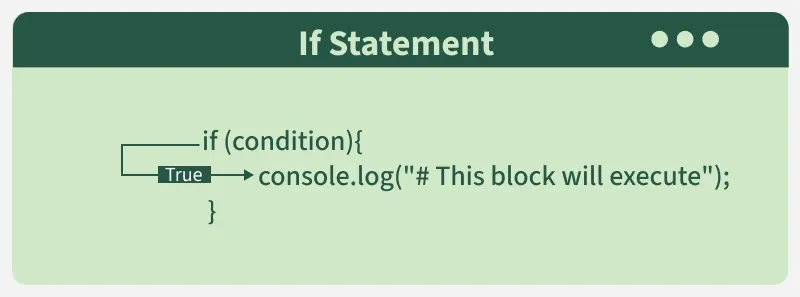
const age = 18;
if (age >= 18) {
    console.log("You are an adult.");
}
- Checks if age is greater than or equal to 18.
- Logs "You are an adult." if the condition is true.
JavaScript if...else Statement
The if...else statement provides an alternate block of code to execute if the condition is false.
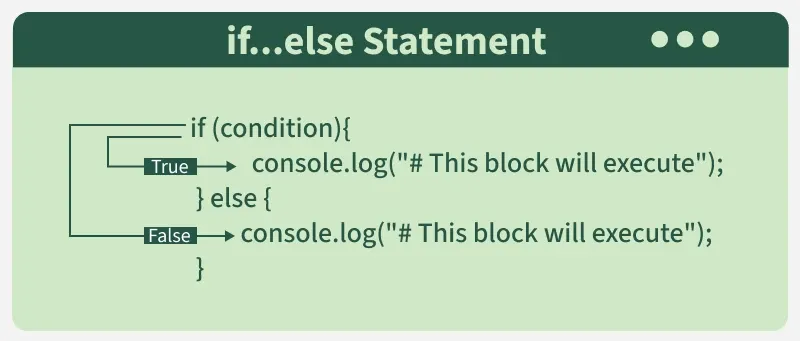
const score = 40;
if (score >= 50) {
    console.log("You passed.");
} else {
    console.log("You failed.");
}
- It will log "You passed." if the score is 50 or more.
- Otherwise, logs "You failed."
JavaScript if...else if...else Statement
The if...else if...else statement is used when you want to handle multiple conditions.
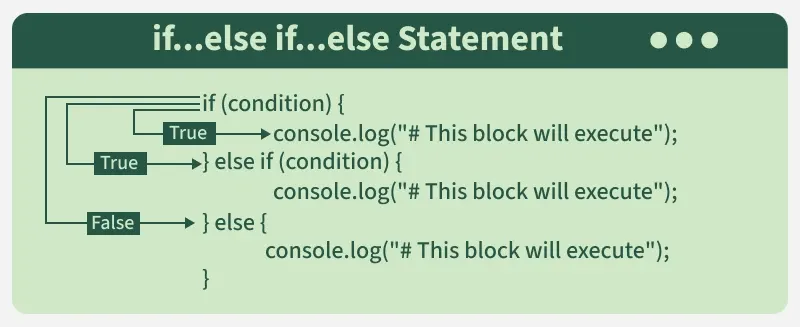
const temp = 25;
if (temp > 30) {
    console.log("It's hot.");
} else if (temp >= 20) {
    console.log("It's warm.");
} else {
    console.log("It's cold.");
}
- Checks if the temperature is greater than 30, logs "It's hot."
- If not, checks if it's between 20 and 30, logs "It's warm."
- Otherwise, logs "It's cold."
JavaScript Switch Statement
The switch statement evaluates an expression and executes a block of code based on matching cases. It provides an alternative to long if-else chain.
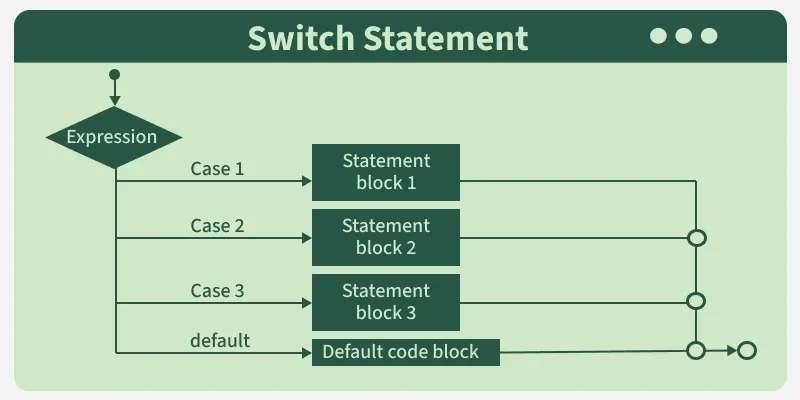
const day = "Monday";
switch (day) {
    case "Monday":
        console.log("Start of the week.");
        break;
    case "Friday":
        console.log("End of the workweek.");
        break;
    default:
        console.log("It's a regular day.");
}
- Checks the value of day and matches it to a case.
- Logs "Start of the week." if day is "Monday".
- Logs "End of the workweek." if day is "Friday".
- Logs "It's a regular day." if no cases match.
Note: Without break, execution continues to the next case statements (fall-through behavior).
JavaScript Looping Statements
Looping statements are used to execute a block of code repeatedly based on a condition.
1. JavaScript for Loop
The for loop is used when the number of iterations is known.
for (let i = 1; i <= 3; i++) {
    console.log(i);
}
- Initializes a counter, checks condition, and updates it in each iteration.
- Executes the block until the condition becomes false.
2. JavaScript while Loop
The while loop runs as long as the condition is true.
let i = 1;
while (i <= 3) {
    console.log(i);
    i++;
}
- Checks the condition before each iteration.
- Executes the block only if the condition is true.
3. JavaScript do...while Loop
The do...while loop executes the block at least once, even if the condition is false.
let i = 1;
do {
    console.log(i);
    i++;
} while (i <= 3);
- Executes the block first, then checks the condition.
- Ensures at least one execution.
Ternary Operator or Conditional Operator
In some programming languages, a ternary operator is used to assign a value to a variable based on a condition.
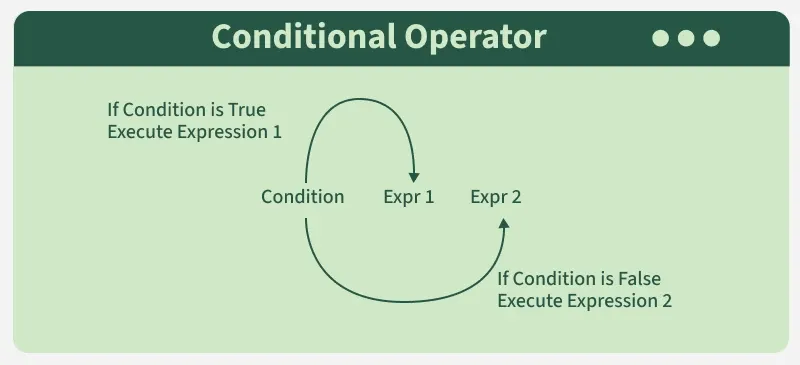
let a = 10;
console.log(a === 5 ? "a is equal to 5" : "a is not equal to 5");
- let a = 10; assigns the value 10 to variable a.
- a === 5 ? ... : ... checks if a is strictly equal to 5.
- Returns "a is equal to 5" if true.
- Returns "a is not equal to 5" if false.
Uses of Control Flow Statements
Control flow statements are backbone in programming for
- Decision-Making: To execute specific blocks of code based on conditions (e.g., if, if...else).
- Branching: To exit loops or skip iterations (break, continue).
- Looping: To repeat tasks (for, while, do...while).
- Switching: To handle multiple conditions effectively (switch).