
AnchorLayout places widgets at a fixed position inside a window using horizontal (anchor_x) and vertical (anchor_y) alignment. It is used when you want a widget to stay at a specific side or center of the screen even when the window size changes.
Example: In this example, this program displays a TextInput box placed at the center of the Kivy window using AnchorLayout.
from kivy.app import App
from kivy.uix.anchorlayout import AnchorLayout
from kivy.uix.textinput import TextInput

class MyApp(App):
    def build(self):
        l = AnchorLayout(anchor_x='center', anchor_y='center')
        t = TextInput(text="Enter text", size_hint=(0.5, 0.2))
        l.add_widget(t)
        return l

MyApp().run()
Output
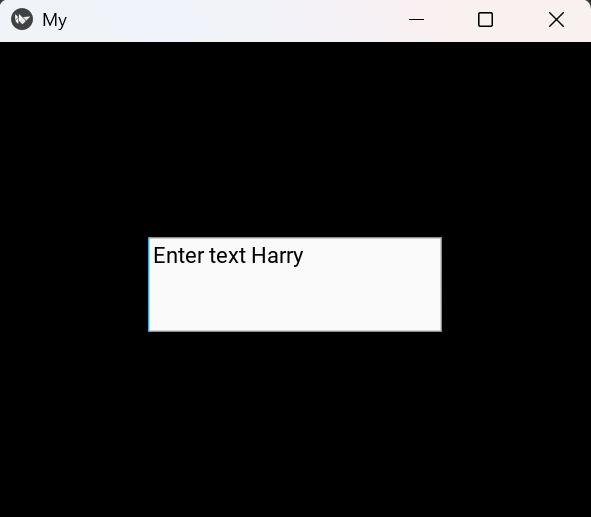
Explanation:
- AnchorLayout(anchor_x, anchor_y) sets the position to the center
- TextInput() creates a text box
- size_hint controls the size of the box
- add_widget() adds the TextInput to the layout
Syntax
AnchorLayout(anchor_x='center', anchor_y='center')
Parameters:
- anchor_x (Horizontal position): "left", "center", "right"
- anchor_y (Vertical position): "top", "center", "bottom"
Examples
Example 1: In this example, this program places a button at the bottom-right corner of the window.
from kivy.app import App
from kivy.uix.anchorlayout import AnchorLayout
from kivy.uix.button import Button

class MyApp(App):
    def build(self):
        l = AnchorLayout(anchor_x='right', anchor_y='bottom')
        b = Button(text="Click", size_hint=(0.3, 0.2))
        l.add_widget(b)
        return l

MyApp().run()
Output
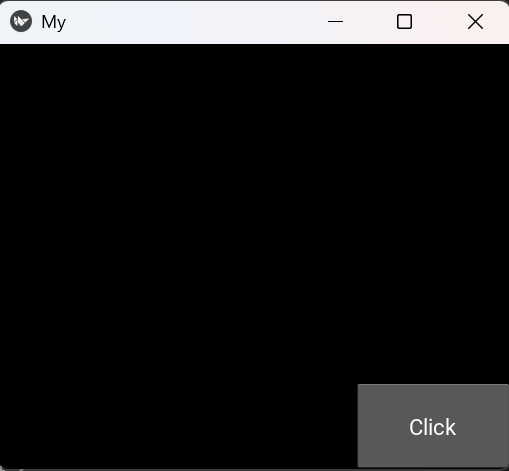
Explanation:
- anchor_x='right' moves the button to the right
- anchor_y='bottom' moves it to the bottom
- Button() creates the button
- add_widget() adds it to the layout
Example 2: In this example, this program shows a button on the left side while keeping it vertically centered.
from kivy.app import App
from kivy.uix.anchorlayout import AnchorLayout
from kivy.uix.button import Button

class MyApp(App):
    def build(self):
        l = AnchorLayout(anchor_x='left', anchor_y='center')
        b = Button(text="Menu", size_hint=(0.3, 0.3))
        l.add_widget(b)
        return l

MyApp().run()
Output
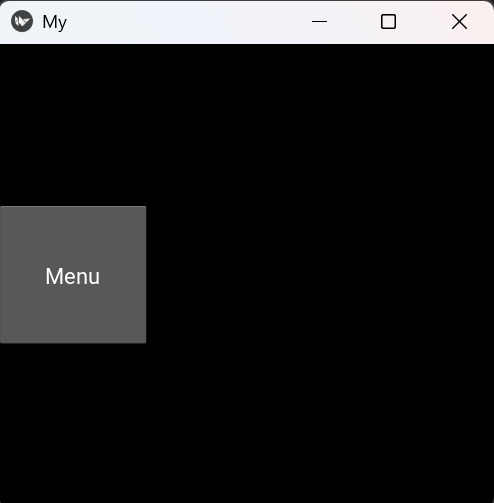
Explanation:
- anchor_x='left' places the button on the left
- anchor_y='center' centers it vertically
- Button remains fixed when window size changes