
A Spinner provides a compact way to select one value from a set. It shows the current value and opens a list of options when touched. Bind its text property to react to selection changes.
Let's add a simple Spinner to a Kivy window.
Below example adds a Spinner at the top that updates a Label when a value is selected.
from kivy.app import App
from kivy.uix.spinner import Spinner
from kivy.uix.label import Label
from kivy.uix.widget import Widget
from kivy.core.window import Window

Window.clearcolor = (1, 1, 1, 1)

class BasicSpinner(Widget):
    def __init__(self, **kwargs):
        super().__init__(**kwargs)
        cx = Window.width / 2
        self.lbl = Label(text='Selected: None', color=(0,0,0,1),pos=(cx - 60, Window.height - 120))
        self.add_widget(self.lbl)

        self.sp = Spinner(text='Choose', values=('One', 'Two', 'Three'),size_hint=(None, None), width=150, height=40,pos=(cx - 75, Window.height - 160))
        self.sp.bind(text=lambda inst, val: setattr(self.lbl, 'text', f'Selected: {val}'))
        self.add_widget(self.sp)

class SpinnerApp(App):
    def build(self):
        return BasicSpinner()

if __name__ == '__main__':
    SpinnerApp().run()
Output
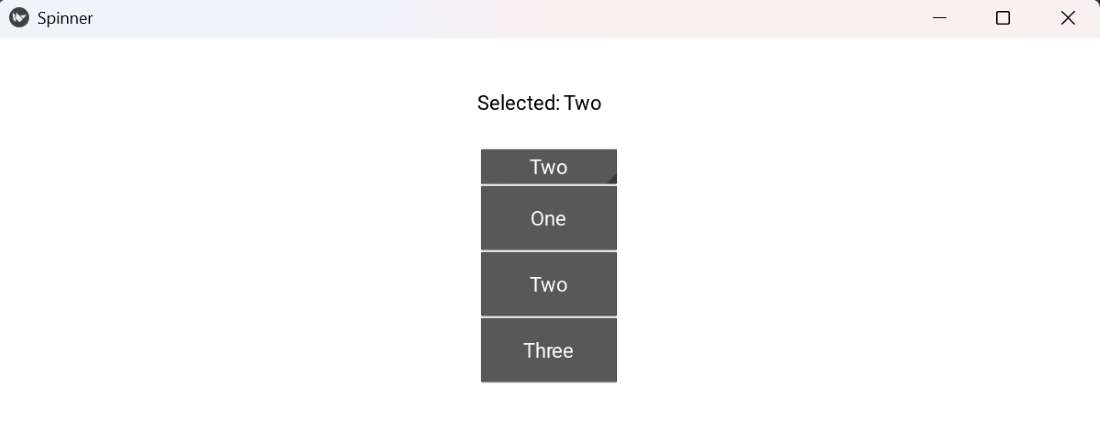
Explanation:
- Window.clearcolor = (1,1,1,1): set a white background.
- Label(...) pos=(...): top label to display the current selection.
- Spinner(text=..., values=...) pos=(...): top spinner placed below the label.
- sp.bind(text=...): update label when the spinner selection changes.
Syntax
Spinner(text='Default', values=('A','B'), size_hint=(None,None), width=150, height=40, background_color=(r,g,b,a))
Parameters:
- text: text shown when no selection change (or current value).
- values: tuple/list of selectable values.
- size_hint/width/height: set to None for manual placement.
- background_color: spinner background rgba.
Common usage: spinner.bind(text=callback) to handle selection.
Examples
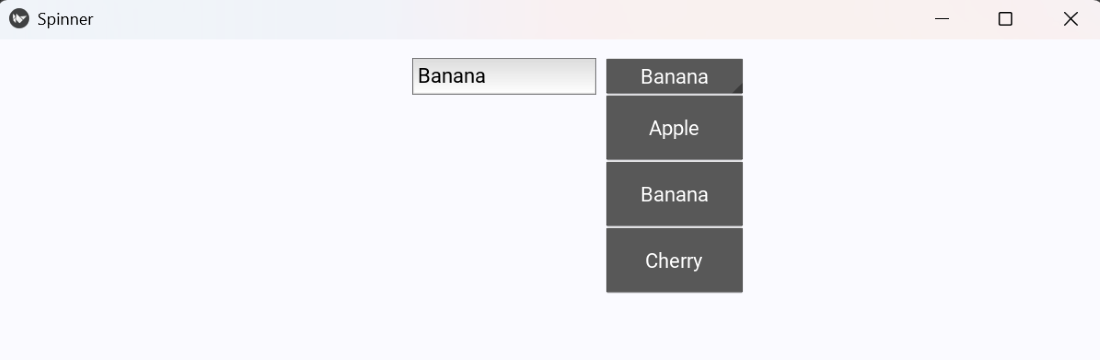
Example 1: This code places a TextInput and a Spinner at the top; selecting a spinner value sets the TextInput text.
Window.clearcolor = (0.98, 0.98, 1, 1)

class SpinnerToInput(Widget):
    def __init__(self, **kwargs):
        super().__init__(**kwargs)
        cx = Window.width / 2

        self.inp = TextInput(text='', size_hint=(None, None), width=200, height=40,pos=(cx - 150, Window.height - 60))
        self.add_widget(self.inp)

        self.sp = Spinner(text='Pick', values=('Apple','Banana','Cherry'),size_hint=(None, None), width=150, height=40,pos=(cx + 60, Window.height - 60))
        self.sp.bind(text=lambda inst, v: setattr(self.inp, 'text', v))
        self.add_widget(self.sp)

class SpinnerApp(App):
    def build(self):
        return SpinnerToInput()

if __name__ == '__main__':
    SpinnerApp().run()
Output
Example 2: This program shows a spinner at the top; picking a color name updates a label’s text and color.
Window.clearcolor = (1, 1, 0.98, 1)

class SpinnerColor(Widget):
    def __init__(self, **kwargs):
        super().__init__(**kwargs)
        cx = Window.width / 2

        self.lbl = Label(text='Color: None', color=(0,0,0,1),pos=(cx - 80, Window.height - 120))
        self.add_widget(self.lbl)

        self.sp = Spinner(text='Color', values=('Red','Green','Blue'),size_hint=(None, None), width=150, height=40,pos=(cx + 60, Window.height - 120))
        self.sp.bind(text=self.on_pick)
        self.add_widget(self.sp)

    def on_pick(self, inst, val):
        cmap = {'Red': (1,0,0,1), 'Green': (0,0.6,0,1), 'Blue': (0,0,1,1)}
        self.lbl.text = f'Color: {val}'
        self.lbl.color = cmap.get(val, (0,0,0,1))

class SpinnerApp(App):
    def build(self):
        return SpinnerColor()

if __name__ == '__main__':
    SpinnerApp().run()
Output
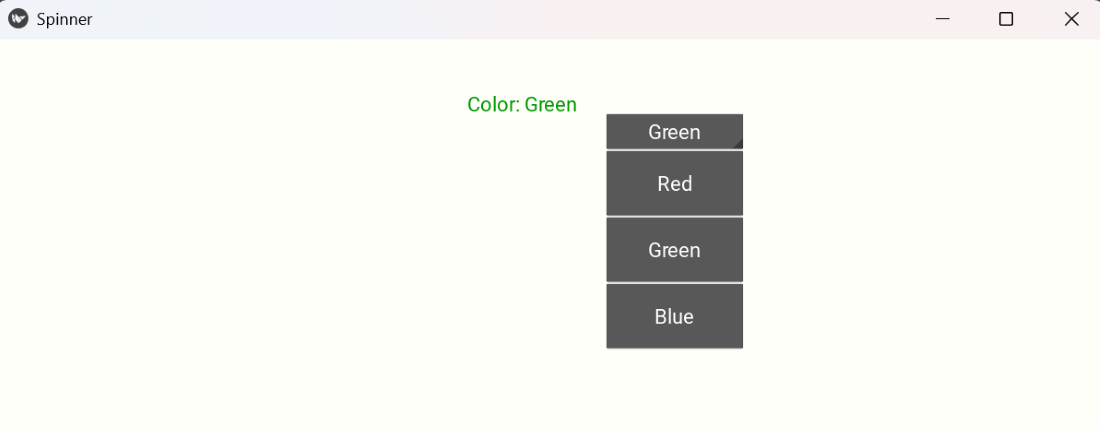
Explanation:
- on_pick(self, inst, val): a callback function triggered on spinner selection.
- cmap: maps color names to RGBA values.
- lbl.text and lbl.color update the label’s text and color dynamically.
- bind(text=self.on_pick): connects spinner changes to the callback.