
An Update View is used to edit or update an existing record in the database, such as a post, product, or user profile.
- Retrieves the record from the database using its ID or another unique value.
- Shows a form already filled with the current data.
- Checks the submitted form for correctness.
- Saves the updated record to the database if the data is valid.
Example: Consider a project named 'geeksforgeeks' having an app named 'geeks'. After you have a project and an app, let's create a model that we will be creating instances through our view.
In geeks/models.py,
# import the standard Django Model
# from built-in library
from django.db import models

# declare a new model with a name "GeeksModel"
class GeeksModel(models.Model):

    # fields of the model
    title = models.CharField(max_length = 200)
    description = models.TextField()

    # renames the instances of the model
    # with their title name
    def __str__(self):
        return self.title
After creating this model, we need to run two commands in order to create Database for the same.
Python manage.py makemigrations
Python manage.py migrate
Now let's create some instances of this model using shell:
Python manage.py shell
Enter following commands:
>>> from geeks.models import GeeksModel
>>> GeeksModel.objects.create( title="title1", description="description1")
>>> GeeksModel.objects.create(title="title2", description="description2")
>>> GeeksModel.objects.create(title="title3", description="description3")
Now we have everything ready for back end. Verify that instances have been created from http://localhost:8000/admin/geeks/geeksmodel/:
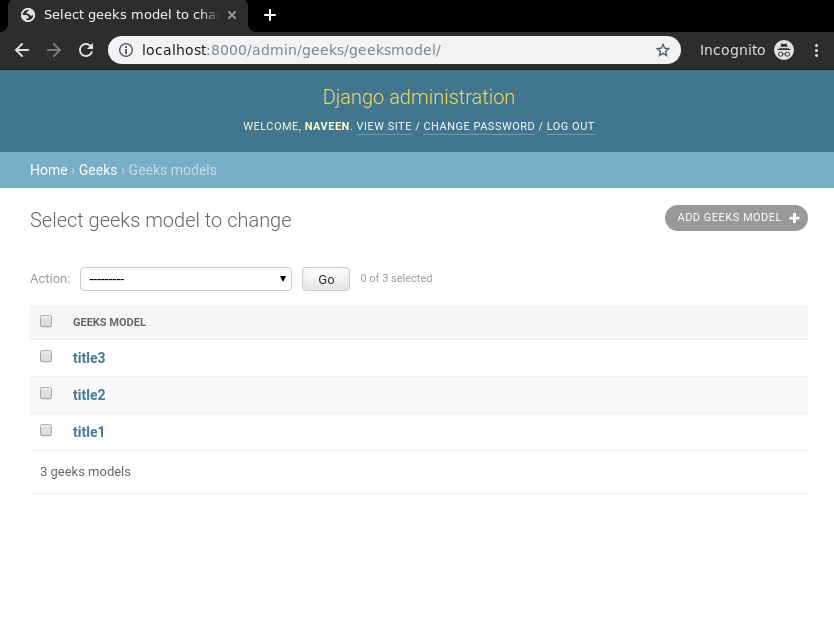
Now we will create a Django ModelForm for this model. Create a file forms.py in geeks folder:
from django import forms
from .models import GeeksModel

# creating a form
class GeeksForm(forms.ModelForm):

    # create meta class
    class Meta:
        # specify model to be used
        model = GeeksModel

        # specify fields to be used
        fields = [
            "title",
            "description"]
For Update_view one would need some identification to get a particular instance of the model. Usually it is unique primary key such as id. To specify this identification we need to define it in urls.py.
Go to geeks/urls.py:
from django.urls import path

# importing views from views..py
from .views import update_view, detail_view

urlpatterns = [
    path('<id>/', detail_view ),
    path('<id>/update', update_view ),
]
Let's create these views with explanations. In geeks/views.py:
from django.shortcuts import (get_object_or_404,
                              render,
                              HttpResponseRedirect)

# relative import of forms
from .models import GeeksModel
from .forms import GeeksForm

# after updating it will redirect to detail_View
def detail_view(request, id):
    # dictionary for initial data with
    # field names as keys
    context ={}

    # add the dictionary during initialization
    context["data"] = GeeksModel.objects.get(id = id)

    return render(request, "detail_view.html", context)

# update view for details
def update_view(request, id):
    # dictionary for initial data with
    # field names as keys
    context ={}

    # fetch the object related to passed id
    obj = get_object_or_404(GeeksModel, id = id)

    # pass the object as instance in form
    form = GeeksForm(request.POST or None, instance = obj)

    # save the data from the form and
    # redirect to detail_view
    if form.is_valid():
        form.save()
        return HttpResponseRedirect("/"+id)

    # add form dictionary to context
    context["form"] = form

    return render(request, "update_view.html", context)
Now create following templates in templates folder. In geeks/templates/update_view.html:
<div class="main">
    <!-- Create a Form -->
    <form method="POST">
        <!-- Security token by Django -->
        {% csrf_token %}

        <!-- form as paragraph -->
        {{ form.as_p }}

        <input type="submit" value="Update">
    </form>

</div>
In geeks/templates/detail_view.html:
<div class="main">
    <!-- Display attributes of instance -->
    {{ data.title }} <br/>
    {{ data.description }}
</div>
Let's check if everything is working, visit http://localhost:8000/1/update:
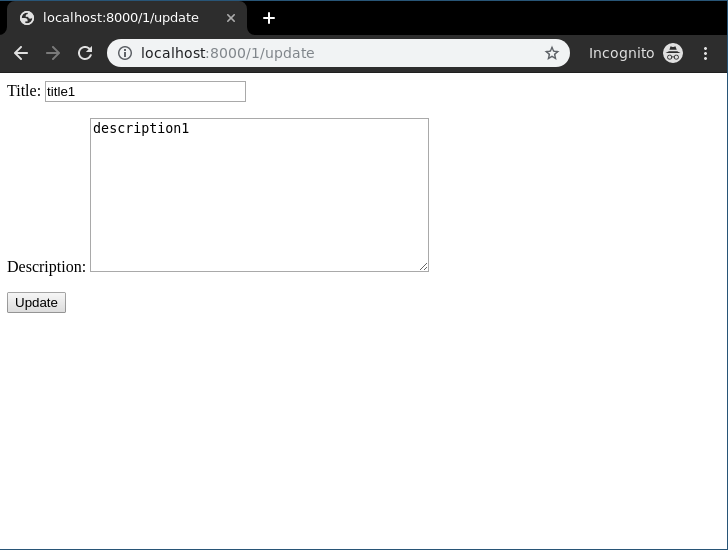
Here you can see the form with data already filled from the instance, Now one can edit this data and update it easily, let's check it out:

Update and visit development srever: http://localhost:8000/1/
