In this article we are going to learn about EditLabel() method associated with wx.TreeCtrl class of wxPython. Starts editing the label of the given item.
This function generates a EVT_TREE_BEGIN_LABEL_EDIT event which can be vetoed so that no text control will appear for in-place editing.
If the user changed the label (i.e. s/he does not press ESC or leave the text control without changes, a EVT_TREE_END_LABEL_EDIT event will be sent which can be vetoed as well.
Syntax: wx.TreeCtrl.EditLabel(self, item)
Parameters:
Parameters Type Description item wx.TreeItemId Item that we want to associate editlabel with.
Code Example:
import wx


class MyTree(wx.TreeCtrl):

    def __init__(self, parent, id, pos, size, style):
        wx.TreeCtrl.__init__(self, parent, id, pos, size, style)


class TreePanel(wx.Panel):

    def __init__(self, parent):
        wx.Panel.__init__(self, parent)
        # create tree control in window
        self.tree = MyTree(self, wx.ID_ANY, wx.DefaultPosition, wx.DefaultSize,
                           wx.TR_HAS_BUTTONS)
        # CREATE TREE ROOT
        self.root = self.tree.AddRoot('root')
        self.tree.SetPyData(self.root, ('key', 'value'))

        # add item to root
        item = self.tree.AppendItem(self.root, "Item")
        item2 = self.tree.AppendItem(self.root, "Item")

        # expand root
        self.tree.Expand(self.root)

        # start editlabel
        self.tree.EditLabel(item2)

        sizer = wx.BoxSizer(wx.VERTICAL)
        sizer.Add(self.tree, 0, wx.EXPAND)
        self.SetSizer(sizer)


class MainFrame(wx.Frame):

    def __init__(self):
        wx.Frame.__init__(self, parent = None, title ='TreeCtrl Demo')
        panel = TreePanel(self)
        self.Show()


if __name__ == '__main__':
    app = wx.App(redirect = False)
    frame = MainFrame()
    app.MainLoop()
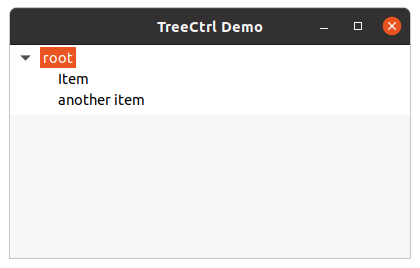
Output: