
Decision-making is about conditional execution of a part of the code. In C++, the following decision-making statements are used:
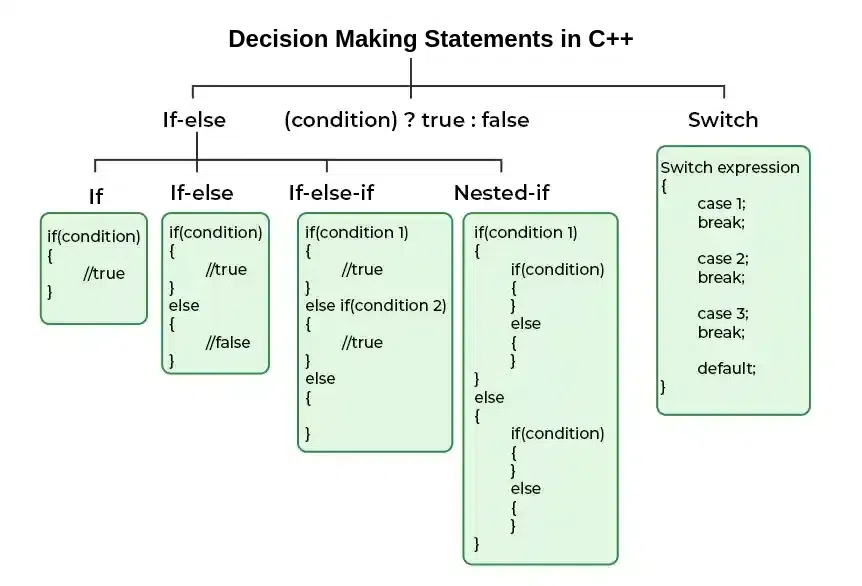
if Statement
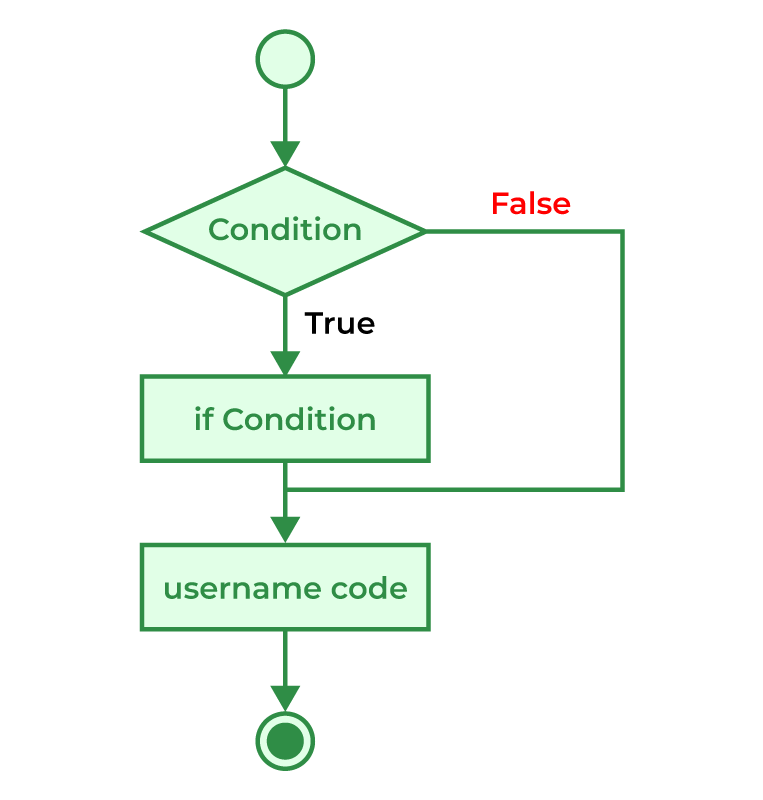
In C++, the if statement is the simplest decision-making statement. It allows the execution of a block of code if the given condition is true. The body of the if statement is executed only if the given condition is true.
#include <iostream>
using namespace std;

int main() {
    int age = 19;

  	// Check if age is greater than 18 fo
  	// vote eligiblity
    if (age > 18) {
        cout << "allowed to vote";
    }
    return 0;
}
Output
allowed to vote
Curly braces can be omitted if there is only a single statement inside the if block.
#include <iostream>
using namespace std;

int main() {
    int age = 19;
    if (age > 18)
        cout << "allowed to vote";
    return 0;
}
Output
allowed to vote
Flowchart:
2. if-else Statement
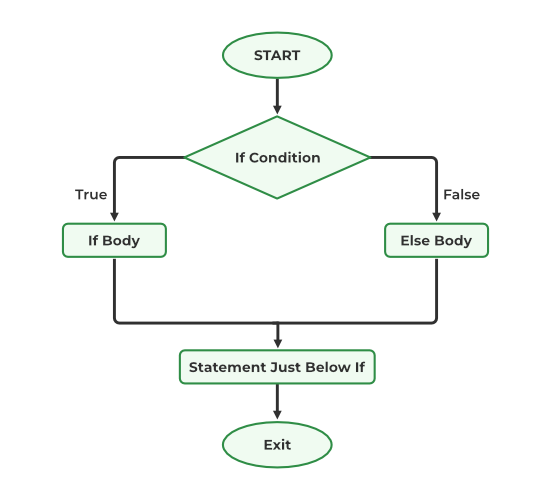
The if else is adecision-making statement allows us to make a decision based on the evaluation of a given condition. If the given condition evaluates to true then the code inside the 'if' block is executed and in case the condition is false, the code inside the 'else' block is executed.
#include <iostream>
using namespace std;

int main() {
    int n = 5;

    // Using if-else to determine if the number is positive
    // or non positive
    if (n > 0) {
        cout << "number is positive.";
    }
    else {
        cout << "number is non-positive.";
    }
    return 0;
}
Output
number is positive.
Flowchart:
3. if else if Ladder
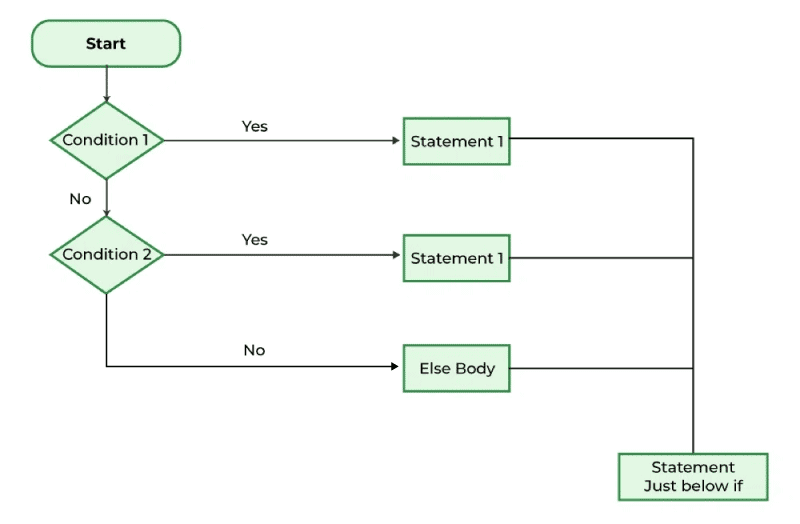
The if else if Ladder statements allow us to include additional situations after the preliminary if condition. The 'else if' condition is checked only if the above condition is not true, and the `else` is the statement that will be executed if none of the above conditions is true. If a condition is true, only its associated block is executed.
#include <iostream>
using namespace std;

int main() {
    int age = 18;

    // if this condition is true child is printed
    if (age < 13) {
        cout << "child";
    }

    // if above if statement is not true then we check
    // this else if condition if it evaluates to true print
    // growing age
    else if (age >= 1 and age <= 18) {
        cout << "Growing stage";
    }

    // if none of above condition is true print adult
    else {
        cout << "adult";
    }
    return 0;
}
Output
Growing stage
Flowchart:
4. Nested if else
A nested if-else statement contains an 'if' inside another 'if'. It is used to check multiple conditions, and the block of the if whose condition evaluates to true is executed.
#include <iostream>
using namespace std;

int main() {
    int n = 44;

    // to check if n is positive
    if (n > 0) {

        // to check if the positive n is even or odd
        if (n % 2 == 0) {
            cout << "positive and even number";
        }
        else {
            cout << "positive and odd number";
        }
    }
    // to check if the n is 0
    else if (n == 0) {
        cout << "the number is zero";
    }
    // to check if the n is negative
    else {
        cout << "the number is negative";
    }
    return 0;
}
Output
positive and even number
Flowchart:
5. Switch Statement
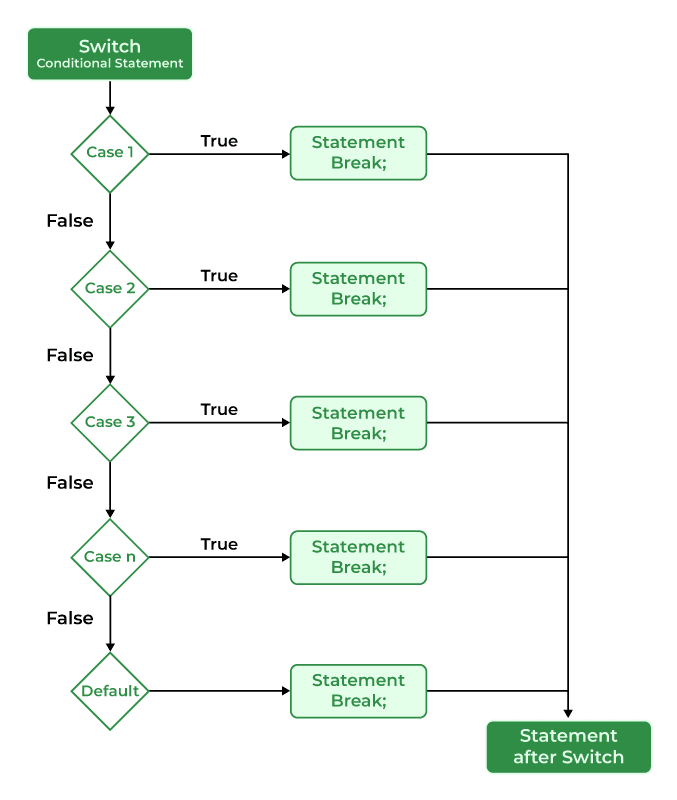
In C++, the switch statement is used when multiple situations need to be evaluated primarily based on the value of a variable or an expression. switch statement acts as an alternative to multiple if statements or if-else ladder and has a cleaner structure and it is easy for handling multiple conditions.
#include <iostream>
using namespace std;

int main() {
    char c = 'B';
    switch (c) {

    // if the input character is A then print GFG
    case 'A':
        cout << "GFG";
        break;

    // if the input character is B then print
    // GeeksforGeeks
    case 'B':
        cout << "GeeksforGeeks";
        break;
    default:

        // if the input character is invalid then print
        // invalid input
        cout << "invalid input";
    }
    return 0;
}
Output
GeeksforGeeks
Flowchart:
6. Ternary Operator ( ? : )
The conditional operator is also known as a ternary operator. It is used to write conditional operations provided by C++. The '?' operator first checks the given condition, if the condition is true then the first expression is executed otherwise the second expression is executed. It is an alternative to an if-else condition in C++.
expression ? statement_1 : statement_2;
#include <iostream>
using namespace std;

int main() {
    int num1 = 10, num2 = 40;
    int max;

    // if the condition is true then num1 will be printed
    // else num2 will be printed
    max = (num1 > num2) ? num1 : num2;
    cout << max;
    return 0;
}
