The Arrays.asList() method in Java is part of the java.util.Arrays class, which is used to convert an array into a fixed-size list.
- Mainly used to get a List view a given array.
- Note that the list returned and the original array share the same memory. It only gives a list. As we can see in the below program, a change made in the array also reflects in the list.
- Acts as a bridge between array-based and collection-based APIs, in combination with Collection.toArray() which does the opposite.
import java.util.Arrays;
import java.util.List;

public class Example {
    public static void main(String[] args) {

        // Creating an array of Integer type
        Integer[] a = {1, 2, 3, 4, 5};

        // Getting the list view of the array
        List<Integer> l = Arrays.asList(a);

        // Printing the list
        System.out.println("" + l);

        // A change made in the array would also
        // reflect in the list
        a[2] = 20;
        System.out.println("" + l.get(2));
    }
}
Output
[1, 2, 3, 4, 5]
20
Syntax
public static <T> List<T> asList(T... a)
Parameters:
- "T... a" is an array of elements to be converted into a List.
- The "
..."indicates that this is a varargs parameter and it allows multiple elements of typeTto be passed as an array.
Return Value: List<T>: This method returns a fixed-size list that contains elements of the same type as the array elements.
Examples of Using the asList() Method in Java
Example: Using asList() Method with String Array
import java.util.*;

public class GFG {

    public static void main(String[] args)
    {

        // Creating array of String type
        String[] a = { "A", "B", "C", "D" };

        // Getting the list view of the array
        List<String> l = Arrays.asList(a);

        // Printing all the elements in the list
        System.out.println(l);
    }
}
Output
[A, B, C, D]
Example: Using asList() Method with Integer Array
import java.util.*;

public class GFG {

    // Main driver method
    public static void main(String[] argv) throws Exception
    {
        // Try block to check for exceptions
        try {

            // Creating Arrays of Integer type
            Integer a[] = new Integer[] { 10, 20, 30, 40 };

            // Getting the list view of Array
            List<Integer> l = Arrays.asList(a);

            // Printing all the elements inside list object
            System.out.println("" + l);
        }

        // Catch block to handle exceptions
        catch (NullPointerException e) {

            System.out.println("Exception thrown: " + e);
        }
    }
}
Output
[10, 20, 30, 40]
Example: UnsupportedOperationException with asList()
import java.util.*;

public class GFG {

    public static void main(String[] argv) throws Exception
    {
        // Try block to check for exceptions
        try {

            // Creating Arrays of Integer type
            Integer a[] = new Integer[] { 10, 20, 30, 40 };

            // Getting the list view of Array
            List<Integer> l = Arrays.asList(a);

            // Adding another int to the list
            // As Arrays.asList() returns fixed size
            // list, we'll get
            // java.lang.UnsupportedOperationException
            l.add(50);

            // Printing all the elements of list
            System.out.println("" + l);
        }

        // Catch block to handle exceptions
        catch (UnsupportedOperationException e) {

            // Display message when exception occurs
            System.out.println("Exception thrown: " + e);
        }
    }
}
Output
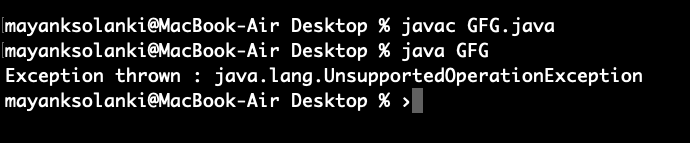
Exception thrown: java.lang.UnsupportedOperationException
Note: The code compiles successfully, but modifying the list (using add() or remove()) throws a UnsupportedOperationException at runtime because the list is fixed-size
Output: