
The DOM onkeypress event in HTML occurs when a key is pressed by the user. Order of events related to the onkeypress event:
Supported HTML tags: All HTML elements, EXCEPT:
- <base>
- <bdo>
- <br>
- <head>
- <html>
- <iframe>
- <meta>
- <param>
- <script>
- <style>
- <title>
Syntax:
- In HTML:
<element onkeypress="myScript">
- In JavaScript:
object.onkeypress = function(){myScript};- In JavaScript, using the addEventListener() method:
object.addEventListener("keypress", myScript);
Example: onkeypress Event using the addEventListener() method
<!DOCTYPE html>
<html>

<head>
    <title>
        DOM onkeypress event
    </title>
</head>

<body>
    <h1 style="color:green">
        GeekforGeeks
    </h1>
    <p>
        Press any key inside
        the input field.
      </p>
    <input type="text" id="inputField"
           style="background-color:green">

    <script>
        document.getElementById(
            "inputField").addEventListener("keypress", GFGFun);
        function GFGFun() {
            document.getElementById(
                "inputField").style.backgroundColor =
                "yellow";
        }
    </script>
</body>

</html>
Output:
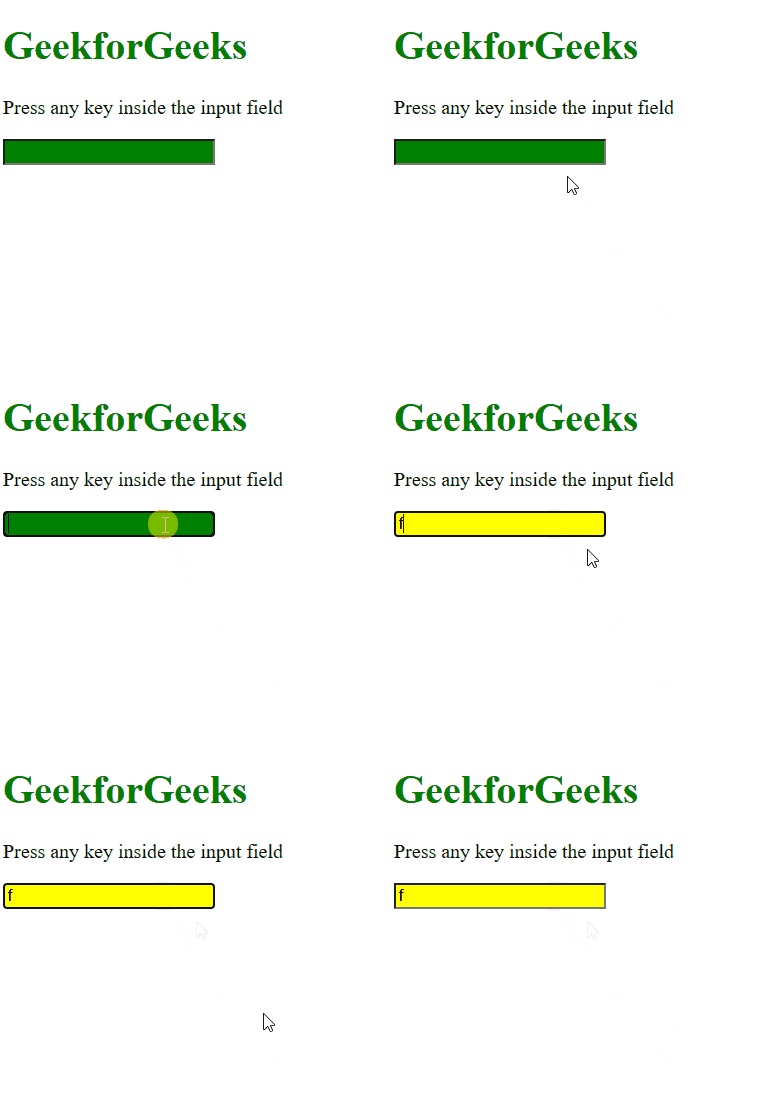
Supported Browsers: The browsers supported by HTML DOM onkeypress Event are listed below:
- Google Chrome
- Internet Explorer
- Firefox
- Apple Safari
- Opera