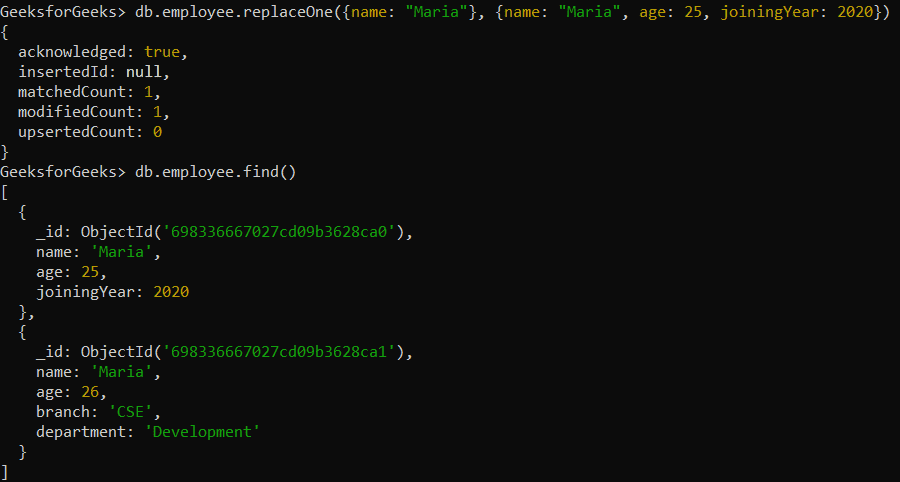
replaceOne() replaces an entire matching document with a new one in a single operation.Replaces the full document, not specific fields
- Different from updateOne(), which updates selected fields.
- Supports upsert (insert if no match found).
- Can return original or modified document.
Syntax:
db.collection.replaceOne(<filter>, <replacementDocument>, {upsert: <boolean>, writeConcern: <document>, collation: <document>, hint: <document|string>})- filter: Selection criteria to find the first matching document to replace.
- replacementDocument: New document to replace the match (no update operators like $set, $inc).
- upsert (optional): Inserts a new document if no match is found (default: false).
- writeConcern (optional): Sets the write acknowledgment level.
- collation (optional): Defines language-specific string comparison rules.
- hint (optional): Specifies which index to use for the query.
Return value of replaceOne()
By default, replaceOne() returns an object that contains:
- acknowledged: Whether the write was acknowledged by the database.
- matchedCount: The number of documents that matched the filter.
- modifiedCount: The number of documents that were modified (replaced).
- upsertedId: The _id of the newly inserted document, if the upsert option was set to true.
Examples of MongoDB replaceOne()
In the following examples, we are working with:
- Database: GeeksforGeeks
- Collection: employee
- Document: Three documents that contain the details of the employees in the form of field-value pairs.
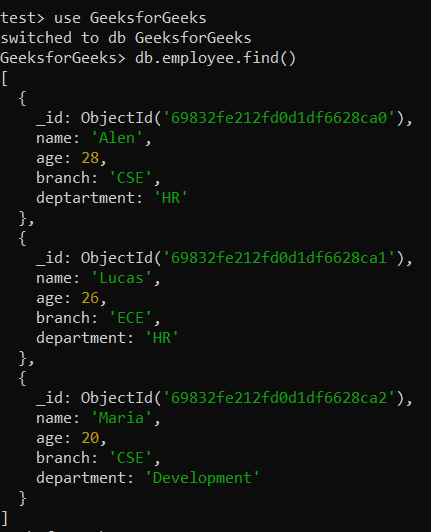
Example 1: Replace the First Document
Replaces the first matching employee document with a new one using replaceOne().
Query:
db.collection.replaceOne({}, {replacement document})Output:
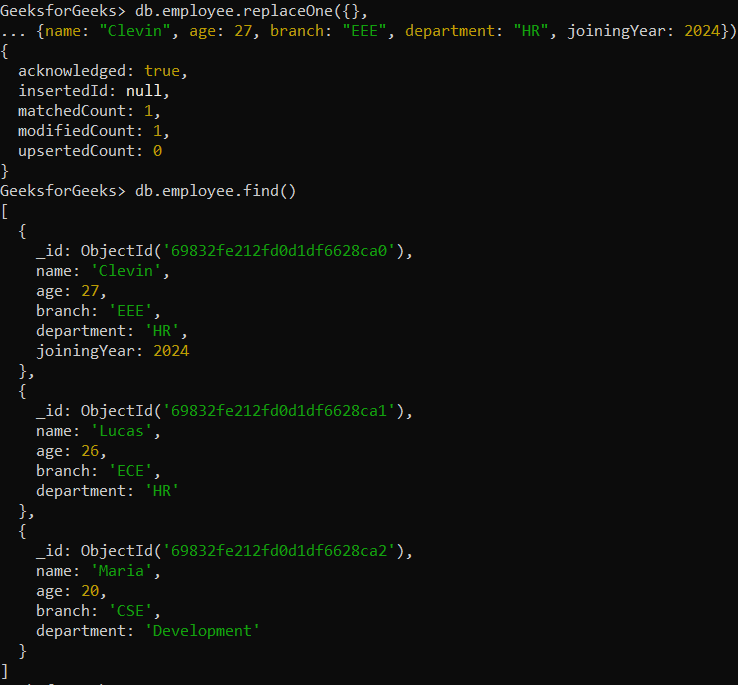
- Replaces the first document with Clevin's data
- {} matches any document, so the first one is replaced
Example 2: Replacing single document that matches the filter
Replacing single document that matches the filter
Query:
db.employee.replaceOne({ name: "Maria" }, { name: "Maria", age: 25, branch: "CSE", department: "Designing" })Output:
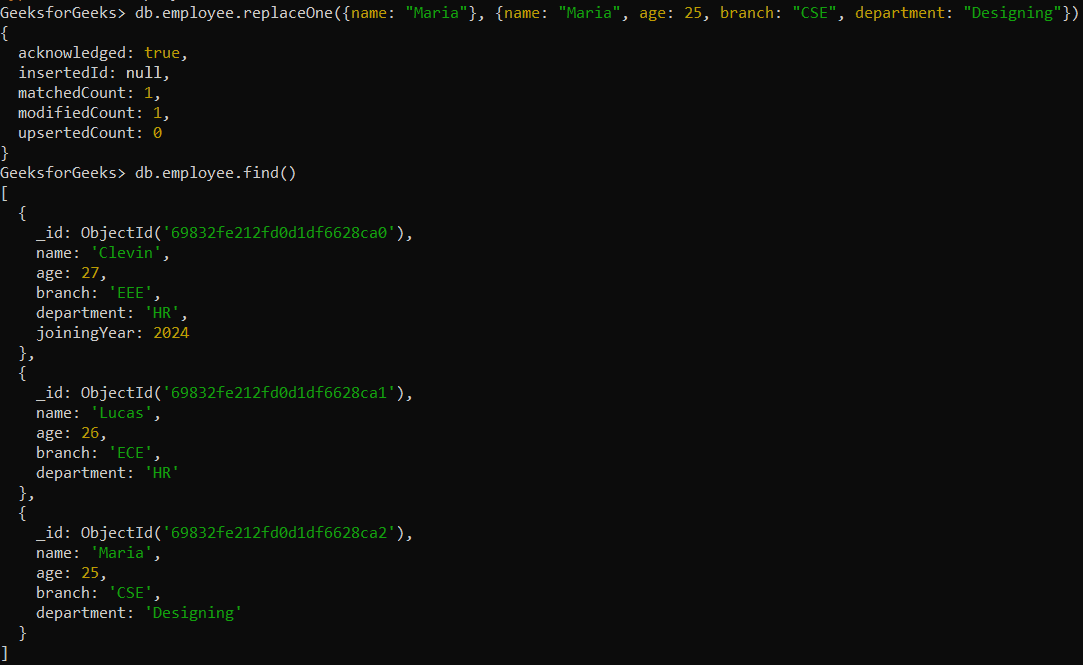
- Finds the first employee named Maria.
- Replaces it with the new document data.
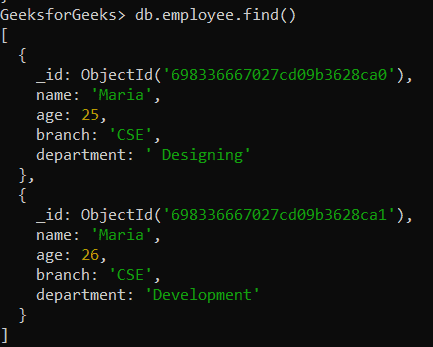
Example 3: Replace a Document and Return the New Document
Replaces the first matching Maria document and returns the updated document.
Before replacement:
After replacement: