The Arrays.asList() method in Java is part of the java.util.Arrays class, which is used to convert an array into a fixed-size list.
- Mainly used to get a List view a given array.
- Note that the list returned and the original array share the same memory. It only gives a list. As we can see in the below program, a change made in the array also reflects in the list.
- Acts as a bridge between array-based and collection-based APIs, in combination with Collection.toArray() which does the opposite.
import java.util.Arrays;
import java.util.List;

public class Example {
    public static void main(String[] args) {

        // Creating an array of Integer type
        Integer[] a = {1, 2, 3, 4, 5};

        // Getting the list view of the array
        List<Integer> l = Arrays.asList(a);

        // Printing the list
        System.out.println("" + l);

        // A change made in the array would also
        // reflect in the list
        a[2] = 20;
        System.out.println("" + l.get(2));
    }
}
Output
[1, 2, 3, 4, 5]
20
Syntax of asList()
public static <T> List<T> asList(T... a)
Parameters:
- "T... a" is an array of elements to be converted into a List.
- The "
..."indicates that this is a varargs parameter and it allows multiple elements of typeTto be passed as an array.
Return Value: List<T>: This method returns a fixed-size list that contains elements of the same type as the array elements.
Examples of Using the asList() Method in Java
Using asList() Method with String Array
The below example demonstrates how to convert a String array into a fixed-size list using the asList() method.
import java.util.*;

public class GFG {

    // Main driver method
    public static void main(String[] argv) throws Exception
    {

        // Try block to check for exceptions
        try {

            // Creating Arrays of String type
            String a[]
                = new String[] { "A", "B", "C", "D" };

            // Getting the list view of Array
            List<String> l = Arrays.asList(a);

            // Printing all the elements in list object
            System.out.println("" + l);
        }

        // Catch block to handle exceptions
        catch (NullPointerException e) {

            System.out.println("Exception thrown: " + e);
        }
    }
}
Output
[A, B, C, D]
Using asList() Method with Integer Array
The below example demonstrates how to convert an Integer array into a fixed-size list using the asList() method.
import java.util.*;

public class GFG {

    // Main driver method
    public static void main(String[] argv) throws Exception
    {
        // Try block to check for exceptions
        try {

            // Creating Arrays of Integer type
            Integer a[] = new Integer[] { 10, 20, 30, 40 };

            // Getting the list view of Array
            List<Integer> l = Arrays.asList(a);

            // Printing all the elements inside list object
            System.out.println("" + l);
        }

        // Catch block to handle exceptions
        catch (NullPointerException e) {

            System.out.println("Exception thrown: " + e);
        }
    }
}
Output
[10, 20, 30, 40]
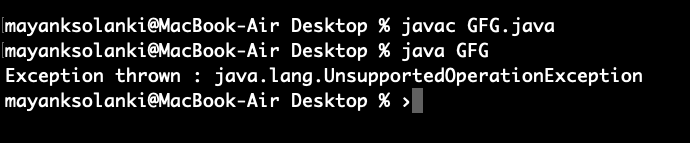
UnsupportedOperationException with asList()
In this example, we will see that trying to change the list from asList() will cause an UnsupportedOperationException.
import java.util.*;

public class GFG {

    public static void main(String[] argv) throws Exception
    {
        // Try block to check for exceptions
        try {

            // Creating Arrays of Integer type
            Integer a[] = new Integer[] { 10, 20, 30, 40 };

            // Getting the list view of Array
            List<Integer> l = Arrays.asList(a);

            // Adding another int to the list
            // As Arrays.asList() returns fixed size
            // list, we'll get
            // java.lang.UnsupportedOperationException
            l.add(50);

            // Printing all the elements of list
            System.out.println("" + l);
        }

        // Catch block to handle exceptions
        catch (UnsupportedOperationException e) {

            // Display message when exception occurs
            System.out.println("Exception thrown: " + e);
        }
    }
}
Output
Exception thrown: java.lang.UnsupportedOperationException
Output: