JavaServer Pages (JSP) is a technology used to create dynamic web pages using Java. It allows you to embed Java code directly into HTML pages and the code runs on the server to generate content before sending the page to the user.
JSP has three scripting elements:
- Scriptlet tag
- Expression tag
- Declaration tag
Scriptlet tag
This tag allows users to insert Java code in JSP. When a user sends a request, the Java code inside this tag(<% %>) runs on the server and helps generate the response.
<html>
<body>
<% out.print("GeeksforGeeks"); %>  <!-- scriptlet tag -->
</body>
</html>
Explanation
- The syntax of a scriptlet tag in JSP is: <% Java code %>.
- You can write Java code inside this tag, which runs on the server.
- In Java, we use System.out.println() to print to the console (server log).
- In JSP, we use out.print() to write content to the webpage.
- out is a predefined object in JSP that sends output to the client browser, not the server console.
Implementation of JSP Scriptlet Tag
Step 1. Create a New Dynamic Web Project
- Go to: File ->New ->Dynamic Web Project
- Project Name: Geeks
- Target Runtime: Select Apache Tomcat v9.0 (or any installed version)
- Dynamic Web Module Version: 3.1
- Click Finish
Step 2: Create index.html file.
Right-click on WebContent -> New -> Html File
- File name: index.html.
<!--index.html  -->
<!-- Example of JSP code which prints the Username  -->
<html>
<body>
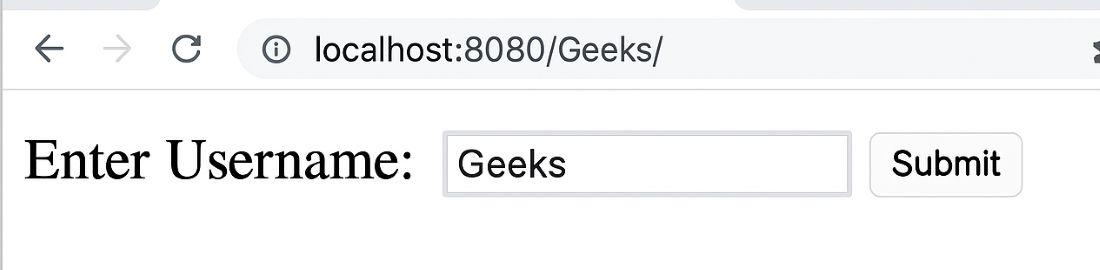
<form action="Geeks.jsp">
<!-- move the control to Geeks.jsp when Submit button is click -->

Enter Username:
<input type="text" name="username">
<input type="submit" value="Submit"><br/>

</form>
</body>
</html>
Step 3: Create Geeks.jsp file.
Right-click on WebContent -> New -> JSP File
- File name: Geeks.jsp
<%@ page language="java" contentType="text/html; charset=UTF-8"
    pageEncoding="UTF-8"%>
<!DOCTYPE html PUBLIC "-//W3C//DTD HTML 4.01 Transitional//EN"
"http://www.w3.org/TR/html4/loose.dtd">
<html>

<head>
<meta http-equiv="Content-Type" content="text/html;
charset=UTF-8">
<title>Insert title here</title>
</head>

<body>
<%
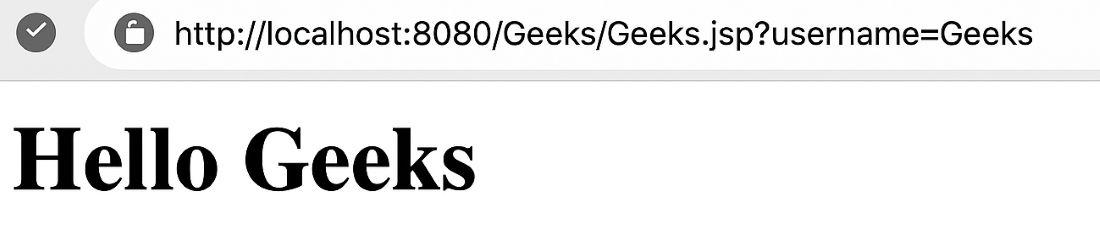
String name=request.getParameter("username");
out.print("Hello "+name);
%>
</body>

</html>
Run Project in Eclipse with Apache Tomcat
Right-click project ->Run As ->Run on Server (select Apache Tomcat). And access in Browser using given url.
http://localhost:8080/Geeks/
click submit: