
The useRef Hook lets you store a mutable value that persists across component renders. It is commonly used to access DOM elements or keep values without causing re-renders.
- Returns an object with a .current property to hold any value
- Updating .current does not trigger a re-render
- Useful for DOM access, timers, and storing previous values
Syntax:
const refContainer = useRef(initialValue);- useRef returns an object { current: initialValue }.
- The current property can be updated without re-rendering the component.
Implementing the useRef hook
The useRef hook is used to access DOM elements and persist values across renders without triggering re-renders.
1. Accessing the DOM using useRef hook
A ref created with useRef is attached to the textarea, allowing the click handler to access the DOM element and programmatically set focus.
import React, { Fragment, useRef } from 'react';

function App() {
    const focusPoint = useRef(null);
    const onClickHandler = () => {
        focusPoint.current.value =
            "The quick brown fox jumps over the lazy dog";
        focusPoint.current.focus();
    };
    return (
        <Fragment>
            <div>
                <button onClick={onClickHandler}>
                    ACTION
                </button>
            </div>
            <label>
                Click on the action button to
                focus and populate the text.
            </label><br />
            <textarea ref={focusPoint} />
        </Fragment>
    );
};
export default App;
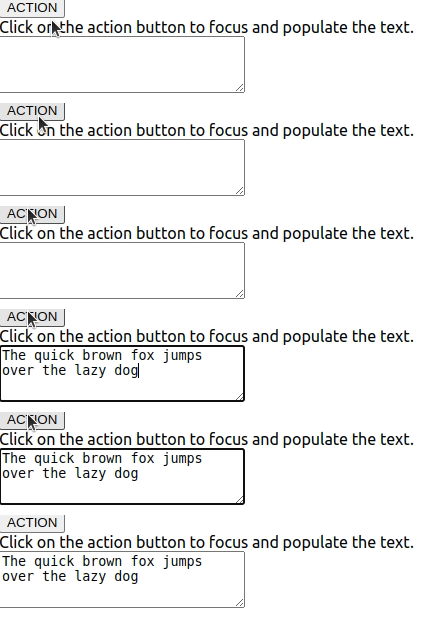
- useRef creates a reference focusPoint, which allows direct manipulation of the DOM element.
- Clicking the "ACTION" button triggers onClickHandler, which sets text in the textarea and focuses it.
- <Fragment> (<>...</>) is used to group multiple elements without adding extra wrappers in the DOM.
2. Persisting Values Across Renders
In addition to accessing DOM elements, useRef is useful for storing values that persist across renders. A common use case is storing a previous value, such as the previous state or props.
import React, { useState, useRef, useEffect } from "react";
function PreviousValue() {
    const [count, setCount] = useState(0);
    const prevCountRef = useRef();

    useEffect(() => {
        prevCountRef.current = count;
    }, [count]);

    return (
        <div>
            <p>Current count: {count}</p>
            <p>Previous count: {prevCountRef.current}</p>
            <button onClick={() => setCount(count + 1)}>Increment</button>
        </div>
    );
}
export default PreviousValue;
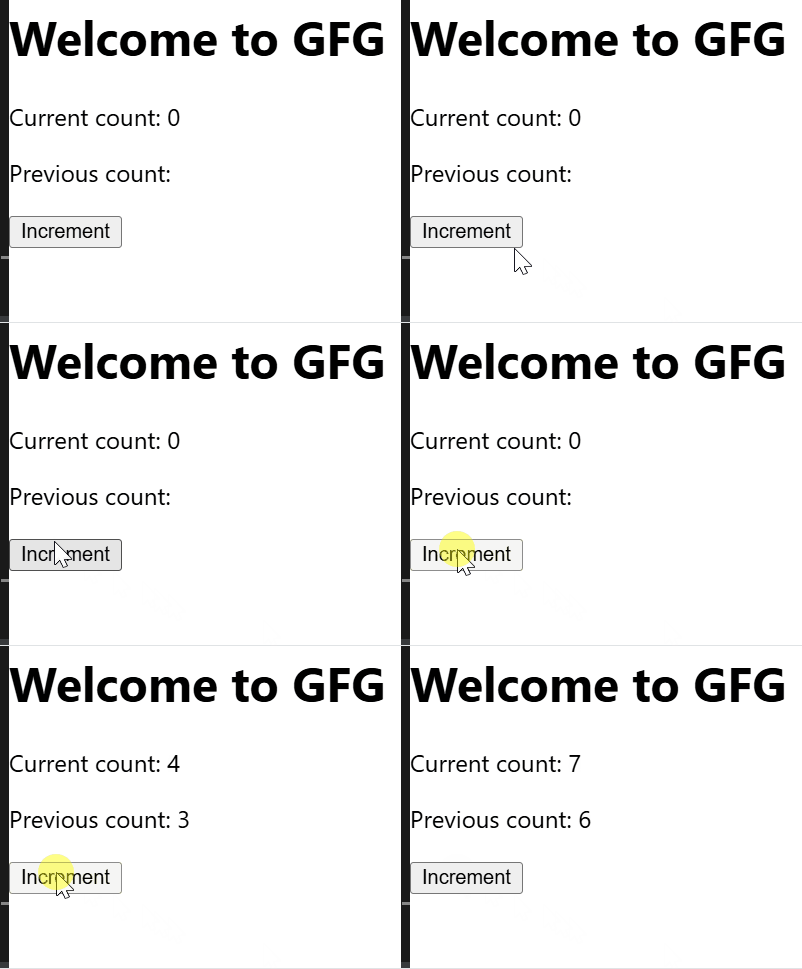
- count is a state variable that tracks the current count.
- prevCountRef is a reference created with useRef to store the previous count value.
- Whenever count changes, the useEffect hook updates prevCountRef.current to store the previous count.
- Clicking the button increases the count by 1 and updates both the current and previous counts.
Purpose of useRef
useRef is used to persist mutable values and access DOM elements without causing re-renders.
- Direct DOM Manipulation: Access and manipulate DOM elements without triggering a re-render.
- Persisting Values Across Renders: Store values that persist across renders without causing updates.
- Optimizing Performance: Helps avoid unnecessary re-renders for better performance.
Performance Considerations
Using useRef correctly can enhance performance, but excessive use may introduce unnecessary complexity.
- Use it for non-rendered values: Ideal for persisting values like timers, previous states, or DOM elements.
- Avoid using it as state replacement: If UI updates are needed, use useState instead.
- Measure before optimizing: Use React DevTools to analyze performance.