
In ReactJS, components are the building blocks of the UI that allow developers to divide applications into smaller, reusable pieces. Components are JavaScript functions or classes that return UI elements and can manage state, handle user input, and render dynamic content. This modular approach makes it easier to build and maintain complex user interfaces.
Types of React Components
There are two main types of components in React:
- Functional Components
- Class Components
Functional Components
A Functional Component is a simpler and more concise way of writing components in React using JavaScript functions. These components receive props (properties) as an argument and return JSX (JavaScript XML) to define the UI structure.
import React, {useState} from "react";

const Welcome = () => {

    const [message, setMessage] = useState("Hello, World!");

    return (
        <div>
            <h1>{message}</h1>
            <button onClick={() => setMessage("Hello, React!")}>
                Change Message
            </button>
        </div>
    );
};

export default Welcome;
Output:
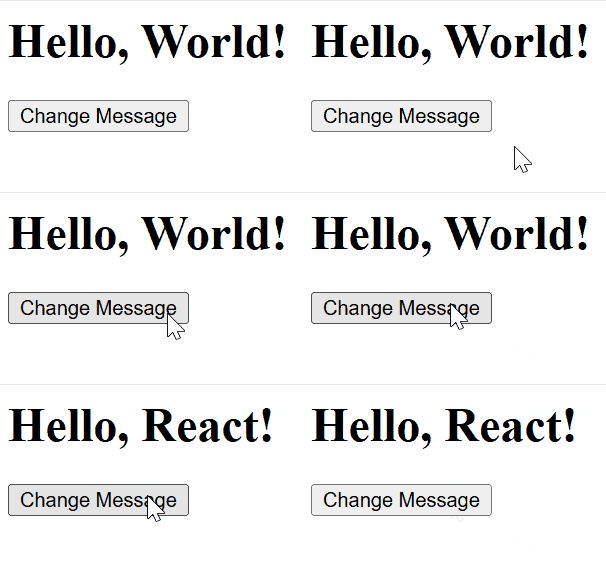
useStateis used to manage themessagestate, initially set to"Hello, World!".- The
buttonclick triggerssetMessage, which updates themessagestate to"Hello, React!". - The component displays the
messagein an<h1>element and updates it when the button is clicked.
Class Components
Class components in React are ES6 classes that extend the React.Component class. They are used for creating components that need to have their own state or lifecycle methods. While functional components are now the go-to choice for many developers (especially with the introduction of hooks like useState and useEffect), class components still have their place and provide a more traditional way of handling component logic in React.
import React, { Component } from 'react';

class Counter extends Component {
    constructor(props) {
        super(props);

        this.state = {
            count: 0
        };
    }

    increment = () => {
        this.setState({ count: this.state.count + 1 });
    };

    decrement = () => {
        this.setState({ count: this.state.count - 1 });
    };

    render() {
        return (
            <div>
                <h1>Counter: {this.state.count}</h1>
                <button onClick={this.increment}>Increment</button>
                <button onClick={this.decrement}>Decrement</button>
            </div>
        );
    }
}

export default Counter;
Output:
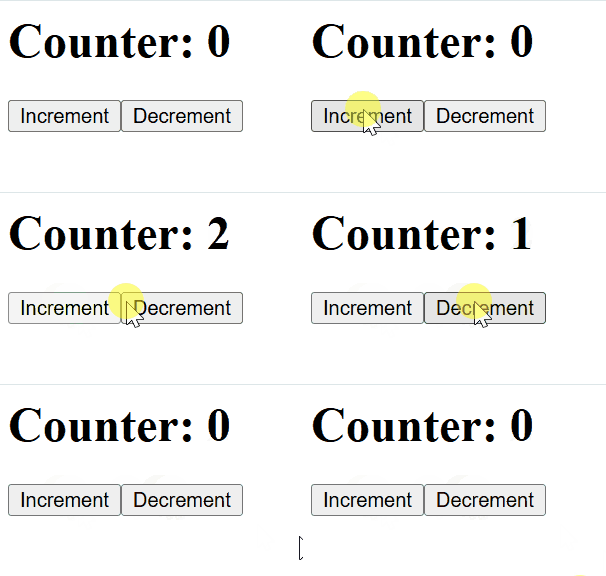
- state: The counter (count) is initialized to 0 in the constructor.
- increment and decrement: These methods update the count state by 1 when the respective buttons are clicked.
- render: Displays the current count and two buttons to increment or decrement the counter.
Difference between Class component and Functional component
Feature | Functional Components | Class Components |
|---|---|---|
Definition | A function that returns JSX. | A class that extends React.Component and has a render() method. |
State | Can use state via hooks like useState. | Can manage state using this.state and this.setState(). |
Lifecycle Methods | No lifecycle methods (use useEffect hook). | Uses lifecycle methods like componentDidMount, componentDidUpdate, componentWillUnmount. |
Syntax | Simpler syntax, function-based. | More verbose, class-based syntax. |
Performance | More lightweight and performant. | Slightly heavier due to the class structure and additional methods. |
Use of Hooks | Can use hooks like useState, useEffect, etc. | Cannot use hooks directly. |
Rendering | Directly returns JSX. | Must define a render() method to return JSX. |
Context | Easier to integrate with React hooks like useContext. | Uses Context.Consumer for context integration. |
Complete Reference
- React Components
- React Components – Set 2
- React Pure Components
- React Functional Components
- React Class Components
- React Component Based Architecture
- Controlled vs Uncontrolled Components
- ReactComponent Composition
- Lifecycle of React Components
- Functional vs Class Components
- Presentational vs container components