
React Hooks, introduced in React 16.8, enable functional components to use state, lifecycle, and other React features without relying on class components.
- Eliminate the need for class components for state and side-effect management.
- Improve code readability and encourage a functional programming style.
- Widely adopted in modern React projects for cleaner and more maintainable code.
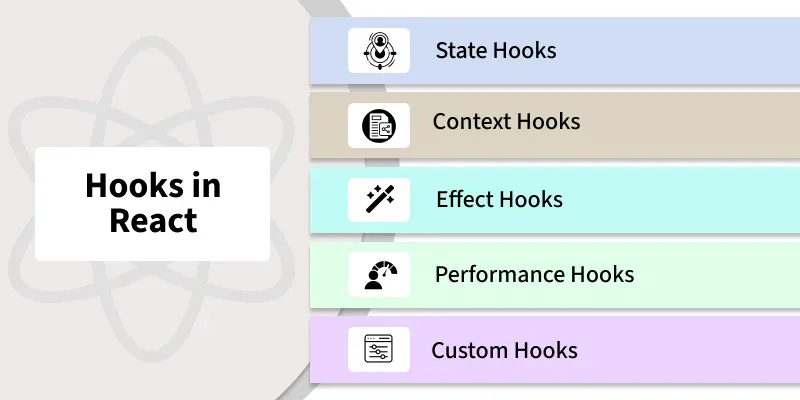
Types of React Hooks
React provides a range of hooks that enable functional components to manage state, side effects, and other core behaviors. Some of the most commonly used React hooks include:
1. State Hooks
State hooks like useState and useReducer enable functional components to manage state in a clean, efficient, and modular way.
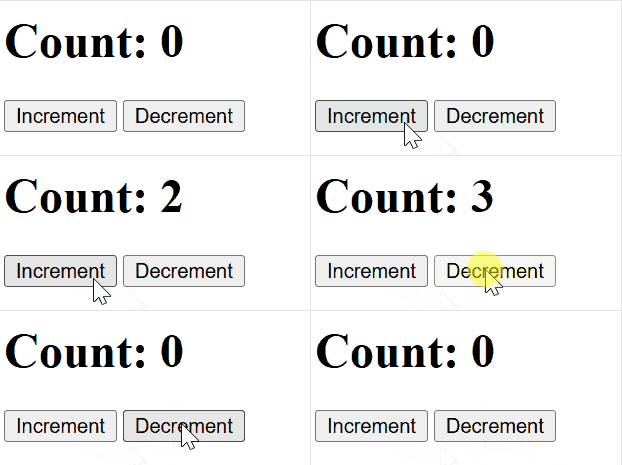
useState: The useState hook is used to declare state variables in functional components. It allows us to read and update the state within the component.
import React, { useState } from "react";

function App() {
    const [count, setCount] = useState(0);
    const increment = () => setCount(count + 1);
    const decrement = () => setCount(count - 1);

    return (
        <div>
            <h1>Count: {count}</h1> {/* Display the current count */}
            <button onClick={increment}>Increment</button> {/* Increment the count */}
            <button onClick={decrement}>Decrement</button> {/* Decrement the count */}
        </div>
    );
}

export default App;
- useState is used to declare state variables in functional components.
- The state variable (count) and the updater function (setCount) allow you to read and update the state.
Output:
Syntax:
const [state, setState] = useState(initialState);- state: The current value of the state.
- setState: A function used to update the state.
- initialState: The initial value of the state, which can be a primitive type or an object/array
useReducer: The useReducer hook is a more advanced state management hook used for handling more complex state logic, often involving multiple sub-values or more intricate state transitions.
import React, { useReducer } from "react";

function reducer(count, action) {
    if (action === "increment") {
        return count + 1;
    }
    if (action === "decrement") {
        return count - 1;
    }
    return count;
}

function App() {
    const [count, dispatch] = useReducer(reducer, 0);

    const increment = () => dispatch("increment");
    const decrement = () => dispatch("decrement");

    return (
        <div>
            <h1>Count: {count}</h1> {/* Display the current count */}
            <button onClick={increment}>Increment</button> {/* Increment the count */}
            <button onClick={decrement}>Decrement</button> {/* Decrement the count */}
        </div>
    );
}

export default App;
Output:
Syntax:
const [state, dispatch] = useReducer(reducer, initialState);- state: The current state value.
- dispatch: A function used to dispatch actions that will update the state.
- reducer: A function that defines how the state should change based on the dispatched action.
- initialState: The initial state value.
2. Context Hooks
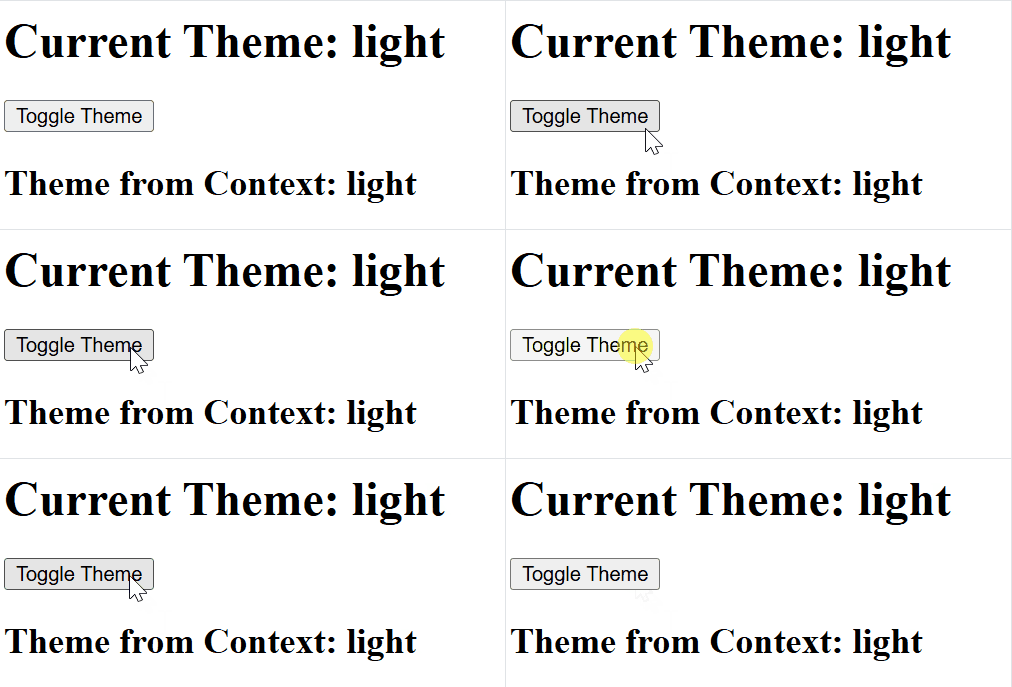
The useContext hook allows functional components to directly access values from the React Context API without prop drilling.
- Simplifies data sharing across the component tree.
- Eliminates the need to pass props manually through multiple levels.
- Makes context consumption cleaner and more readable.
import React, { createContext, useContext, useState } from "react";

const ThemeContext = createContext();

function App() {
    const [theme, setTheme] = useState("light");

    const toggleTheme = () => {
        setTheme((prevTheme) => (prevTheme === "light" ? "dark" : "light"));
    };

    return (
        <ThemeContext.Provider value={theme}>
            <div>
                <h1>Current Theme: {theme}</h1>
                <button onClick={toggleTheme}>Toggle Theme</button>
                <ThemeDisplay />
            </div>
        </ThemeContext.Provider>
    );
}

function ThemeDisplay() {
    const theme = useContext(ThemeContext);

    return <h2>Theme from Context: {theme}</h2>;
}

export default App;
- useContext allows you to consume context values, making it easier to share data across components without prop drilling.
- The Provider makes the context value accessible to all components below it in the component tree.
Output:
Syntax:
const contextValue = useContext(MyContext);- The useContext hook takes a context object (MyContext) as an argument and returns the current value of that context.
- The contextValue will hold the value provided by the nearest <MyContext.Provider> in the component tree.
3. Effect Hooks
Effect hooks allow functional components to manage side effects in a structured and efficient manner.
- useEffect handles common side effects like data fetching and subscriptions.
- useLayoutEffect runs synchronously after DOM updates.
- useInsertionEffect manages style injections before DOM mutations.
useEffect: The useEffect hook allows functional components to handle side effects and replaces lifecycle methods like componentDidMount and componentDidUpdate.
import React, { useState, useEffect } from "react";

function App() {
    const [count, setCount] = useState(0);

    useEffect(() => {
        document.title = `Count: ${count}`;
        console.log(`Effect ran. Count is: ${count}`);

        return () => {
            console.log("Cleanup for previous effect");
            document.title = "React App";
        };
    }, [count]);

    return (
        <div>
            <h1>Count: {count}</h1>
            <button onClick={() => setCount(count + 1)}>Increment Count</button>
        </div>
    );
}

export default App;
- Updates the document title and logs changes when count updates.
- Cleanup resets the title and clears the previous effect before re-running.
Output:

Syntax:
useEffect(() => {
    // Side effect logic here
}, [dependencies]);
- useEffect(() => { ... }, [dependencies]); runs side effects after rendering.
- The effect runs based on changes in the specified dependencies.
useLayoutEffect: useLayoutEffect is used to measure or modify the layout before the browser paints the screen, ensuring smooth visual updates without flickering.
Syntax:
useLayoutEffect(() => {
  // Logic to manipulate layout or measure DOM elements
}, [dependencies]);
useInsertionEffect: The useInsertionEffect is designed for injecting styles early, especially useful for server-side rendering (SSR) or styling libraries, ensuring styles are in place before the component is rendered visually.
Syntax:
useInsertionEffect(() => {
    // Logic to inject styles or manipulate stylesheets
}, [dependencies]);
4. Performance Hook
Performance Hooks in React, like useMemo and useCallback, are used to optimize performance by avoiding unnecessary re-renders or recalculations.
useMemo: useMemo is a React hook that caches the result of an expensive calculation and recomputes it only when its dependencies change, improving performance by avoiding unnecessary recalculations.
Syntax:
const memoizedValue = useMemo(() => computeExpensiveValue(a, b), [a, b]);- Computes and stores the result of computeExpensiveValue(a, b).
- Recalculates the value only when a or b changes.
import React, { useState, useMemo } from "react";

function App() {
    const [count, setCount] = useState(0);
    const [text, setText] = useState("");

    const expensiveCalculation = useMemo(() => {
        console.log("Expensive calculation...");
        return count * 2;
    }, [count]);

    return (
        <div>
            <h1>Count: {count}</h1>
            <h2>Expensive Calculation: {expensiveCalculation}</h2>
            <button onClick={() => setCount(count + 1)}>Increment Count</button>

            <input
                type="text"
                value={text}
                onChange={(e) => setText(e.target.value)}
                placeholder="Type something"
            />
        </div>
    );
}

export default App;
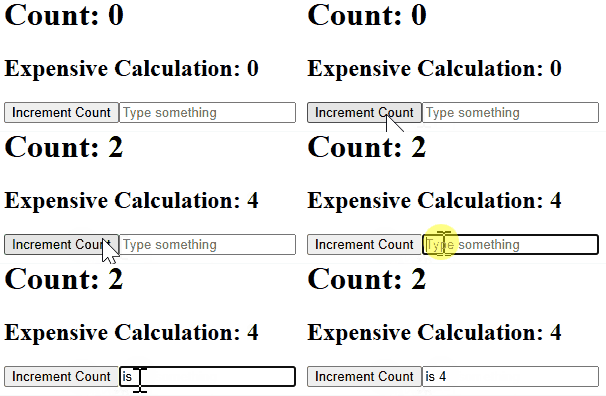
- useMemo memoizes the result of expensiveCalculation.
- It only recomputes when count changes.
- When text changes, the calculation is not re-run, optimizing performance.
- console.log appears only when count changes, showing memoization works.
Output:
useCallback: useCallback is a React hook that memoizes functions so they are recreated only when their dependencies change, helping prevent unnecessary re-renders when functions are passed to child components.
Syntax:
const memoizedCallback = useCallback(() => { doSomething(a, b); }, [a, b]);- useMemo caches the computed value (num * 2), recalculating it only when num changes.
- This prevents unnecessary calculations on every render.
5. Resource Hooks(useRef)
useRef is a React hook used to store mutable values or access DOM elements without triggering re-renders.
- Persists values across renders without affecting the UI.
- Commonly used for DOM references and mutable variables.
import React, { useState, useRef } from "react";

function App() {
    const countRef = useRef(0);
    const [forceRender, setForceRender] = useState(false);

    const increment = () => {
        countRef.current += 1;
        setForceRender(!forceRender);
    };

    return (
        <div>
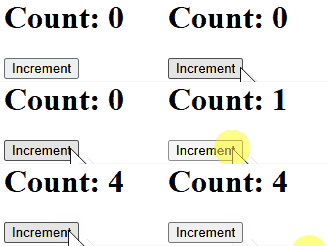
            <h1>Count: {countRef.current}</h1> {/* Display count value */}
            <button onClick={increment}>Increment</button>
        </div>
    );
}

export default App;
- countRef holds the mutable count value.
- useState (forceRender) triggers re-renders to reflect changes in the UI.
- When the Increment button is clicked, countRef is updated.
- setForceRender forces a re-render to update the UI.
- The updated count is displayed in an <h1> tag, not in a prompt.
Output:
Syntax:
const refContainer = useRef(initialValue);6. Custom Hooks
Custom Hooks are user-defined functions that encapsulate reusable logic. They enhance code reusability and readability by sharing behavior between components.
//useWidth.js

import { useState, useEffect } from "react";

function useWidth() {
    const [width, setWidth] = useState(window.innerWidth);

    useEffect(() => {
        const handleResize = () => setWidth(window.innerWidth);
        window.addEventListener("resize", handleResize);
        return () => window.removeEventListener("resize", handleResize);
    }, []);

    return width;
}

export default useWidth;
Using a Custom Hook
import React from "react";
import useWidth from "./useWidth";

function App() {
    const width = useWidth();
    return <h1>Window Width: {width}px</h1>;
}

export default App;
- The custom hook useWidth encapsulates the logic for tracking the window's width.
- It reduces redundancy by reusing the logic across components.
7. Other Hooks
React offers additional hooks for specific use cases
- udeImperativeHandle: useImperativeHandle customizes the instance value exposed by useRef.
- useDebugValue: Displays custom labels for hooks in ReactDevTools.
Difference Between Hooks and Class Components
| Class Components | React Hooks |
|---|---|
Use ES6 classes with | Use functions with hooks like useState and useEffect. |
| Logic is spread across methods, can be complex. | Logic is grouped and easier to manage. |
| Difficult to reuse logic. | Easy to create and reuse custom hooks. |
| Familiar to OOP developers. | Requires different mindset than classes. |
| Support error boundaries. | Error boundaries are not supported yet. |
